
Dyson Vacuum Making a Weird Noise? Diagnose & Fix It Now
This post contains affiliate links. As an Amazon Associate, we earn from qualifying purchases.
A Dyson vacuum making a weird noise is usually caused by one of three things: a physical blockage in the hose, wand, or cleaner head; a dirty or improperly seated washable filter; or a mechanical issue with the brush bar or motor bearings. The specific sound, whistling, grinding, or ratcheting, tells you which system is stressed.
That noise is a diagnostic tool, not just an annoyance. It means airflow is restricted or a part is working against friction. Ignoring it lets the motor overheat, and on models like the DC14, that triggers an automatic shutoff you cannot reset for at least 60 minutes. What follows is a map from sound to source, using the factory service manuals most owners never read. You will diagnose the noise, clear it, and know the one step that prevents it from coming back.
Key Takeaways
- A high-pitched whistle or scream means a severe airflow blockage. Check the hose, wand, and airway inspection valve first.
- A loud ratcheting or grinding from the cleaner head is the belt-protection system on uprights like the DC14. It stops the brush bar to save the motor from a jam.
- Your washable filter needs a cold-water rinse every six months minimum, but vacuuming fine dust or using Boost mode on a V15 Detect can clog it in weeks.
- If the noise starts suddenly, stop vacuuming immediately. Forcing it can turn a simple $0 fix into a motor replacement.
- Model matters. A rattling Dyson Ball vacuum has different access points than a whistling V12 Detect Slim. Always find your manual first.
The 3 Most Common Causes of Dyson Weird Noises (And How to Diagnose Them)
The sound your vacuum makes points directly to the problem. Think of it as an error code you can hear. Generic advice says “check for blockages,” but that covers too much ground. You need to know which blockage, and how to find it fast.
A loud ‘ratcheting’ noise coming from the cleaner head when vacuuming may indicate an obstruction in the brushbar and is meant to protect the belt in the machine. The ratcheting may also occur if your carpet is not adequately attached to the floor. If there is no obstruction, set brush control to bare floors mode. . Dyson DC14 Operations Manual
This factory note reveals two things most guides miss. First, the ratcheting is a designed safety feature, not a breakdown. Second, the cause might not be inside your vacuum, it could be your rug’s loose tassels snagging the brush bar.
| Noise You Hear | Most Likely Cause | Where to Look First | If You Ignore It |
|---|---|---|---|
| High-pitched whistle/scream | Airflow blockage | Hose, wand, filter housing | Motor overheats; thermal cut-off triggers |
| Grinding or grating | Foreign object in brush bar | Under cleaner head soleplate | Belt wears or snaps; motor bearings damage |
| Rhythmic rattling/clicking | Loose part or broken plastic | Wand connections, tool holders | Part breaks fully; debris escapes suction |
| Intermittent buzzing/pulsing | Battery or electrical issue (cordless) | Charger contacts, battery terminals | Runtime plummets; machine shuts off mid-use |
Whistling is an airflow emergency. When the path from the cleaner head to the bin gets blocked, the motor pulls air through the only tiny gaps left. That turbulent air creates a whistle. The pitch gets higher as the blockage gets tighter. Start with the hose, detach it, stretch it out, and look through it toward a light. Any shadow is a clog.
Grinding means something hard is where it shouldn’t be. A hairpin, a rock, or a chunk of hardened dirt caught between the brush bar and its housing will make a nasty grating sound. The fix is mechanical: you must remove the soleplate to get to the brush bar. On older uprights, this is a simple clip. On newer Motorbar heads, you might need a screwdriver.
Where this goes sideways: Using the wrong attachment for the floor type. A hard floor tool on a deep carpet makes the motor strain, which can sound like a low whine or hum. That noise is the motor working outside its designed airflow, and it shortens the brush bar’s life.
Rattling is often the easiest to fix. It usually means a clip isn’t fully snapped or a wand section isn’t twisted to its lock position. Go over every connection from the cleaner head to the handle. A poor filter seal on the bin will also cause a rhythmic chattering as air fights to get in.
Step-by-Step Diagnosis: From Noise to Fix
Turn the vacuum off and unplug it. Cordless users, remove the battery. This is non-negotiable. You will be putting your fingers near moving parts and electrical contacts.
Step 1: Isolate the noise location.
Does the sound come from the floor (cleaner head) or from your hand (main body)? Run the vacuum for just five seconds with the cleaner head on the floor, then lift it into the air. If the noise changes or stops, the problem is in the cleaner head or hose. If the noise stays the same, the issue is in the main body, bin, or filter. This simple test cuts your search area in half.
Step 2: The full blockage hunt.
Disassemble the vacuum in reverse airflow order. Start by emptying the bin. Then remove the hose from the main body. Check the wand. Finally, inspect the cleaner head. Use a long, flexible object like a straightened coat hanger (with a smooth end) to gently probe through tubes. Never force anything.
For the cleaner head, flip the vacuum over. Look for the soleplate, the plastic cover that holds the brush bar. On a DC14, press the two release tabs near the back and slide it off. Wrap any hair or string from the brush bar ends, pulling it away from the center. Do not cut the bristles.
Step 3: Filter inspection and wash.
Locate the washable filter. On uprights, it’s often behind the bin. On cordless models like the V15 Detect, it’s on top of the cyclone. Remove it. The foam should be blue or light gray, not dark gray or black. Hold it up to a light; if you can’t see through it, it’s clogged.
Wash filter and case in cold water only. Only wash blue foam and yellow case. Wash filter and case until water runs clear. Air dry for at least 12 hours. . Dyson DC14 Operations Manual
Use cold water only. No detergent. Gently squeeze the foam, don’t wring it. Let it dry completely for 24 hours in a well-ventilated spot. A damp filter is a major cause of loss of suction and will make the motor whine as it struggles to pull air through the wet foam.
Step 4: Reassemble and test.
Put everything back together, ensuring every click and snap is firm. Before plugging in, manually spin the brush bar (if accessible) to ensure it moves freely. Do a quick 10-second test on a bare floor. Listen.
Model-Specific Noise Solutions and Quirks
Not all Dysons are the same. A noise on a cordless stick vacuum points to different components than the same noise on an old upright cylinder.
Dyson DC14, DC07, DC25 (Older Uprights):
The classic loud ratcheting noise is your friend. It’s the belt-protection system. The manual is clear: check for an obstruction first. If you find none, your carpet pile might be too high or the rug might be loose. Switch the brush control to bare floors mode. The brush bar stops spinning, the noise stops, and you can still vacuum.
Dyson V15 Detect & V12 Detect Slim (Cordless):
These models are prone to a high-pitched whistle from the filter area if it’s not seated perfectly. The seal is precise. Also, the filter clogs faster than you think. Dyson states: “The filter may need to be washed more frequently if you are vacuuming a lot of fine dust, or if the machine is predominantly being used in Boost mode.” If you use Boost daily, wash the filter monthly.
Dyson Ball Vacuum (DC25, UP30):
A rattling noise here often comes from the ball housing itself. Debris like cereal or pebbles can get inside the ball mechanism. You’ll need to tip the vacuum on its side and check the clear plastic dome around the ball. Also, the ball vacuum brush on these models has a different release mechanism than standard uprights, usually a single large clip at the front.
Dyson Stick Vacuums (V-series, older DC35):
A grinding noise here is serious. The motor is in the handle, right by your ear. Grinding often points to a failing motor bearing or debris sucked into the fan impeller. This is one of the few times a DIY fix is risky. You might need to check Dyson cordless error codes on the display for a clue before opening anything.
| Model Type | Signature Noise | Primary Suspect | DIY Difficulty |
|---|---|---|---|
| Old Upright (DC14) | Ratcheting | Brush bar obstruction | Low (remove soleplate) |
| Cordless Stick (V15) | Whistling | Filter seal / blockage | Low (reseat, wash filter) |
| Ball Vacuum (DC25) | Rumbling/Rattling | Debris in ball housing | Medium (partial disassembly) |
| Cylinder (DC29) | Whistling | Hose or wand blockage | Low (visual inspection) |
When to Stop DIY and Call for Help
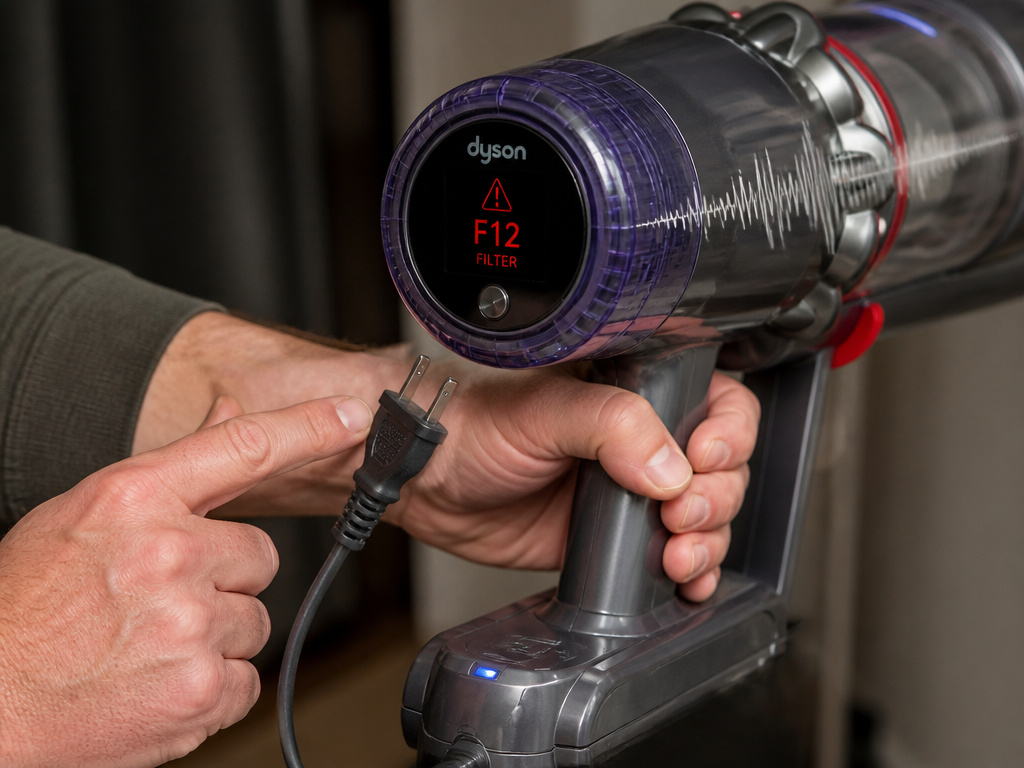
You can fix most weird noises. Some mean the machine needs a professional.
Stop immediately and unplug if:
- You see smoke or smell burning plastic.
- The noise is a loud, metallic screech that starts suddenly.
- The vacuum shuts off on its own and won’t turn back on.
The Dyson V15 Detect service guarantee covers labor and parts for 12 months. If your vacuum is under warranty, attempting a complex repair like opening the main motor can void it. Know the line.
Electrical issues are a hard stop. If you’ve cleared every possible blockage, washed and dried the filter, and the noise persists, especially a buzzing or intermittent pulsating, the problem could be in the wiring or the motor itself. This is not a bearing you can grease. For modern cordless models, consult the Dyson stick vacuum error codes on the LCD screen. An error code plus a noise gives a support technician the exact starting point.
Consider the cost of your time versus a repair. A full motor replacement on an older model might cost half the price of a new vacuum. On a newer, high-end cordless model, a professional repair is usually worth it.
Preventive Maintenance: The 4 Habits That Stop Noises Before They Start
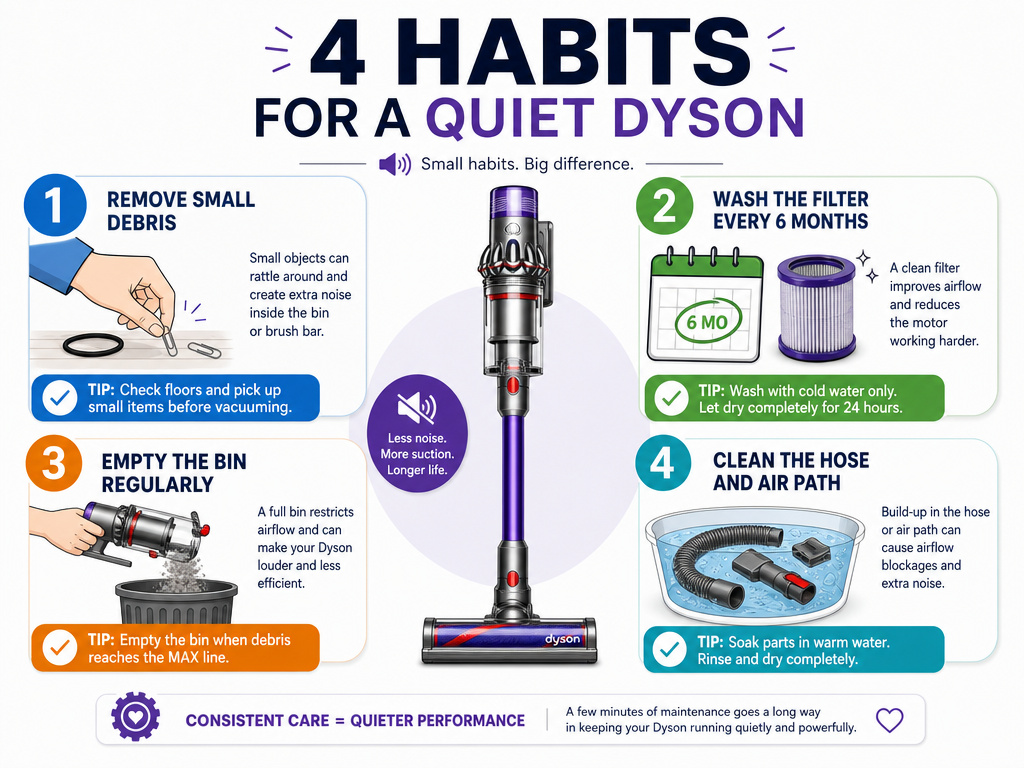
Noises are symptoms of neglect. These four habits build a silence routine.
- Pre-Vacuum Floor Scan. Spend five seconds looking at the area you’re about to vacuum. Pick up paper clips, hair ties, LEGO pieces, and string. These are the prime culprits for brush bar jams and hose blockages.
- Filter Wash on a Schedule. Don’t wait for the noise. Mark your calendar every six months. If you have pets or use Boost mode, make it every three months. A clean filter is the single biggest factor in maintaining proper airflow and motor health.
- Post-Use Emptying. Never leave a full bin. Debris compacts over time and can back up into the airways. Empty it after every major cleaning session, even if it’s not full. This also prevents odors.
- Annual Deep Clean. Once a year, give the vacuum a full tear-down. Detach the hose and soak it in a tub of warm water to loosen embedded dust. Wipe out the inside of the bin with a damp cloth. Clear any hair from the brush bar ends. This annual reset prevents the slow buildup that leads to strange sounds.
Easy to miss: Storing the vacuum with the hose bent or kinked. Over months, the plastic can take a set, creating a permanent partial blockage. Always store the hose straight or in a wide loop.
This isn’t about making your vacuum last forever, though it will. It’s about never having to stop in the middle of cleaning to wrestle with a screaming machine. Consistency beats crisis repairs every time.
Frequently Asked Questions
Why is my Dyson making a high-pitched noise only on carpets?
This usually points to the brush bar. On carpets, the brush bar spins. If a bearing inside the brush bar motor is worn or if hair is wound tightly around the ends, it creates a high-pitched whine as it spins under load. Switch to bare floors mode (turning the brush bar off). If the noise stops, the problem is in the cleaner head assembly.
Can a dirty filter cause a grinding noise?
Not directly. A dirty filter causes suction loss and a high-pitched whistle from strained airflow. A grinding noise is almost always mechanical, something solid caught between moving parts, like the brush bar and its housing, or a failing motor bearing. Check for physical blockages first.
What does it mean if my Dyson is rattling and has no suction?
You have two separate problems. The rattling is likely a loose connection or a cracked piece of plastic in the wand or hose. The loss of suction is a blockage or a filter issue. Diagnose them separately. Fix the suction first (clear blockages, wash filter), as a massive blockage can sometimes cause parts to vibrate and rattle.
Is a whistling noise dangerous for the vacuum?
Yes, in the short term. A whistle means the motor is working against a severe restriction, causing it to overheat. Modern Dysons have a thermal cut-off that shuts the motor down before it burns out. But repeated overheating weakens the motor over time. Find and clear the blockage immediately.
How do I know if the weird noise is covered under warranty?
If the noise is due to a manufacturing defect, like a bearing failing prematurely under normal use, it should be covered. If the noise is due to a clearable blockage (hair, string, a sock) or a filter you didn’t wash, it won’t be covered. Always check for simple, user-serviceable issues first before making a warranty claim.
Before You Go
A noisy Dyson is a talking Dyson. It’s telling you exactly where something is wrong. Start with the sound: whistle for air, grind for mechanics, rattle for connections. Your first move is always to stop, unplug, and empty the bin. Ninety percent of weird noises fix themselves after a thorough blockage hunt and a filter wash. For the other ten percent, you now have the model-specific clues to decide whether to grab a screwdriver or call for service. Listen to the machine. It knows what it needs.