
Dyson Vacuum Not Holding Charge: The 2-Year Warranty Catch
This post contains affiliate links. As an Amazon Associate, we earn from qualifying purchases.
A Dyson vacuum not holding charge is either normal battery degradation or a covered defect. The difference hinges on the two-year warranty. A defect means the battery fails to charge or dies in seconds; degradation is a gradual run-time loss. The fix is a battery replacement, but Dyson covers only the first scenario within the warranty period.
That two-year window is the line. Inside it, a sudden failure gets you a free battery. Outside it, you pay for a new one. The warranty explicitly excludes “reduction in battery discharge time due to battery age or use.” Most owners notice the drop around the 18-month mark.
What follows is the diagnostic split: how to tell a defect from wear, the model-specific temperature rules that mimic a dead battery, the step-by-step reset, and when a call to Dyson support is your only move.
Key Takeaways
- Dyson’s two-year limited warranty covers battery defects, not normal wear. A battery that won’t charge at all is a defect; one that runs for 15 minutes instead of 40 is wear.
- Temperature locks out charging. Models like the SV23 and HH12 will not operate or charge if the ambient temperature is below 41°F (5°C). Let the machine warm up.
- Consumer reports show battery issues often surface between 18 months and three years. A 2025 law firm investigation alleges V11 and V15 run times dropped to single digits within 12–18 months.
- Immediate recharging after a full discharge stresses the battery. Let the machine cool for a few minutes before plugging it in.
- Always use a genuine Dyson charger and battery. Third-party parts void the warranty and can cause safety hazards.
Step-by-Step Troubleshooting
Start here before you assume the battery is dead. These checks solve most “no charge” problems in under ten minutes.
Check the Charger and Outlet
Your charger is the first link in the chain. A faulty one mimics a dead battery.
Unplug the charger from the wall and from your Dyson. Inspect the cable for any cuts, kinks, or damage to the plug prongs. Try a different wall outlet that you know works—like one powering a lamp. Plug only the charger into the outlet. A genuine Dyson charger should have a small LED that lights up when connected to power, even without the vacuum attached. No light means the charger is faulty.
If the charger seems fine, reconnect it to your vacuum. Ensure the connector clicks firmly into the charging port. Dirt or debris in the port can block the connection. Blow it out with compressed air.
Common mistake: Using a non-Dyson charger. The machine’s battery management system expects a specific voltage profile. A generic charger may not communicate properly, leading to incomplete charges or error lights.
Decode the LED Lights
The LED lights on the battery or handle are your machine’s status report. The pattern tells you what’s wrong.
For a Dyson V6, the lights are simple. A solid blue light means it’s charging. A flashing blue light means it’s not charging—re-seat the charger or try another socket. A solid amber light indicates a temporary fault, usually because the battery is too hot or too cold. A flashing red light signals a fault requiring a call to Dyson.
Newer models like the V11, V15, and V12 use the LCD screen. A thermometer icon or a message reading “Battery too cold” means a temperature lockout. A battery icon with an exclamation point points to a battery fault.
| Light / Display Pattern | Likely Meaning | Immediate Action |
|---|---|---|
| No light when plugged in | Charger not powered / Faulty charger | Try a different outlet, check charger LED |
| Flashing blue (V6) | Not charging | Re-seat charger, clean charging port |
| Solid amber (V6) | Battery too hot/cold | Move machine to room temperature (64–82°F) |
| Flashing red | Battery or machine fault | Contact Dyson Helpline |
| “Battery too cold” on LCD | Temperature lockout | Warm machine to above 50°F (10°C) |
Rule Out Temperature Lockout
This is the most common misdiagnosis. Dyson batteries have hardwired low-temperature cutoffs to protect the cells.
The SV23 and HH12 models will not operate or charge if the ambient temperature is below 41°F (5°C). The SV12 model switches off if the battery itself is below 50°F (10°C). If you store your vacuum in a cold garage, shed, or car, it will appear completely dead. Bring the entire machine into a warm room (between 64°F and 82°F is ideal) and let it sit for two to three hours. Then try charging.
Where this goes sideways: Charging in a warm house, then storing the vacuum in a cold garage. The SV12 manual warns against this, as the rapid temperature drop can damage the battery chemistry.
Perform a Hard Reset
A glitch in the battery management system can cause a false “no charge” reading. A reset clears it.
- Remove the battery from the vacuum. For screw-in models (V8, V10, V11), unscrew it. For clip-in models, press the release button.
- Press and hold the power trigger on the main vacuum body for 20 seconds. This drains any residual charge from the capacitors.
- Let the battery sit disconnected for 60 seconds.
- Reconnect the battery firmly.
- Plug in the charger directly to the vacuum (not the dock). Wait for the LED indicators to respond.
This reset fixes many communication errors between the battery and the main board. If the lights return to a normal charging pattern, you’ve solved a software hiccup, not a hardware failure.
The 2-Year Warranty Distinction: Defect vs. Degradation
This is the core of the issue. Understanding Dyson’s warranty language saves you time and money.
Your cordless Dyson comes with a two-year limited warranty. It covers defects in materials and workmanship. If your battery fails to charge, holds a charge for only 30 seconds, or triggers a persistent fault light within two years of purchase, that is a defect. Dyson will replace it free of charge.
The warranty does not cover “reduction in battery discharge time due to battery age or use.” If your vacuum once ran for 40 minutes on a medium setting and now runs for 25 after 18 months of daily use, that is normal lithium-ion degradation. You are responsible for the replacement cost.
The tension in Dyson’s battery warranty comes down to a distinction that isn’t always easy to make in practice: defect versus degradation. Dyson does not publish specific diagnostic criteria for what separates a warranty-eligible battery failure from normal wear.
How to argue your case: Document the symptom precisely. “The vacuum shuts off after 10 seconds on the Eco setting” is a defect claim. “The run time seems shorter” is a degradation claim. If you’re within two years and have a clear defect, contact the Dyson Helpline with your serial number and purchase details.
When the Battery Is Actually Worn Out
Lithium-ion batteries are consumable parts. They have a finite lifespan measured in charge cycles.
Most Dyson batteries are rated for 500-800 full charge cycles. If you charge it every other day, you’ll hit 500 cycles in about three years. After that, capacity drops noticeably. A 20-30% reduction in run time after two years is standard. A 70% or greater reduction suggests a problematic battery or one subjected to harsh conditions.
The HH12 handheld model takes up to 3.5 hours for a full charge. If yours takes longer or never reaches full, the cells are worn.
What Kills Batteries Faster
- Heat: Storing the vacuum in a hot car or direct sunlight accelerates chemical breakdown.
- Deep Discharge: Running the battery until the vacuum completely dies every single time strains the cells.
- Cold Charging: Attempting to charge below 41°F (5°C) causes lithium plating inside the cells, permanently reducing capacity.
- Using Non-Genuine Chargers: They can deliver incorrect voltage, leading to uneven cell charging and premature failure.
If your battery’s performance has gradually declined over many months and it’s out of warranty, it’s time for a replacement. The next section covers your options.
Your Replacement Battery Options
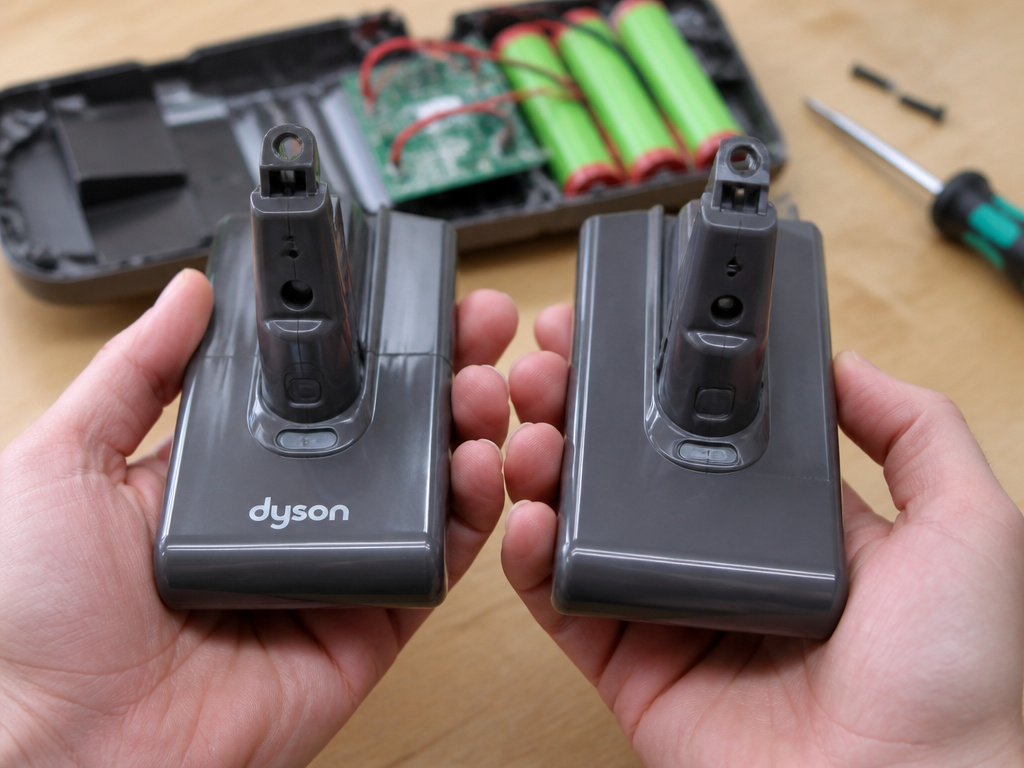 Once you’ve diagnosed a dead or dying battery, you have three paths.
1. Genuine Dyson Replacement
This is the recommended route. A genuine Dyson battery is engineered to match the motor’s power draw and has the correct battery management system (BMS). It ensures safety and performance.
You can buy them directly from the Dyson website or authorized parts dealers. They come with a one-year warranty on the part itself. While more expensive, they are the only option that guarantees compatibility and preserves any remaining warranty on your vacuum.
2. Third-Party (Aftermarket) Batteries
These are cheaper and widely available on Amazon. Quality is a massive gamble.
Some use lower-grade cells that won’t hold their rated capacity. Many lack the proprietary BMS communication chip, causing error codes or subpar performance. The U.S. Consumer Product Safety Commission has issued warnings about fire hazards from unapproved lithium-ion replacement batteries. They can overheat during charging or use.
Before you start: Using a third-party battery voids any remaining warranty on your Dyson vacuum. If the battery causes damage to the motor or main board, you will be responsible for the full repair cost.
3. Professional Battery Rebuild
A niche service offered by some repair shops. They open your original battery pack, discard the old cells, and solder in new, high-quality lithium-ion cells. This can be a cost-effective way to get better-than-OEM capacity while keeping the original BMS and casing.
It requires technical skill. Research the repair shop thoroughly and ask about the grade of cells they use. This is often a good option for older, out-of-warranty models where OEM batteries are no longer sold.
The 2025 Legal Investigation Context
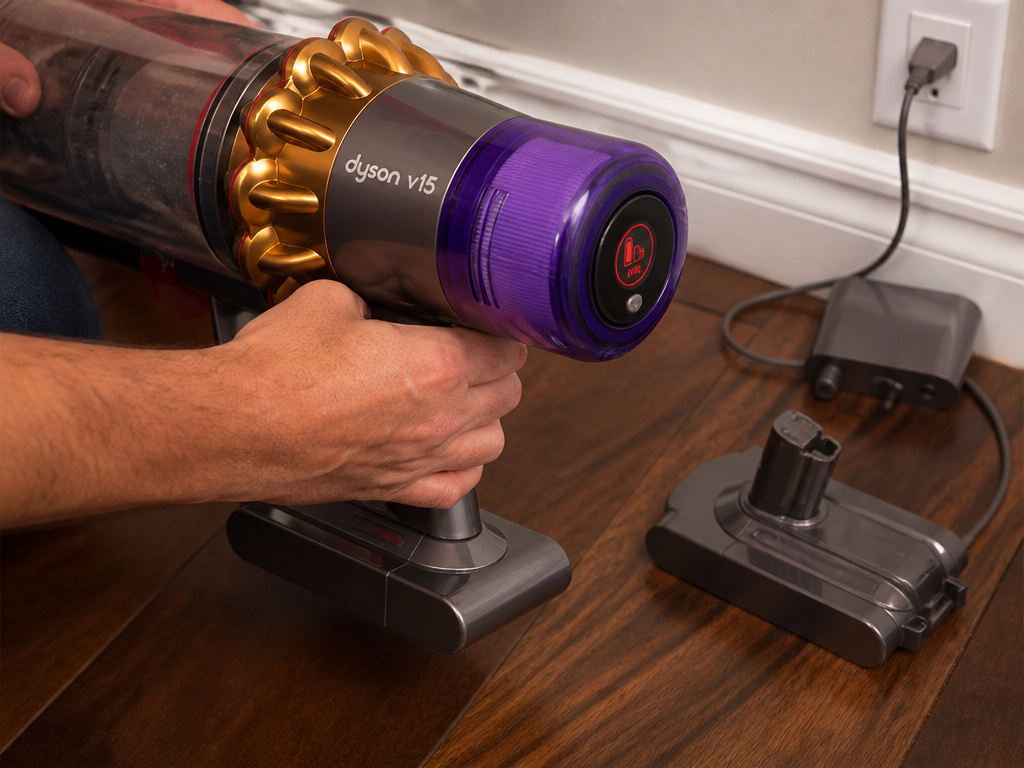 In late 2025, the law firm Migliaccio & Rathod LLP announced an investigation into potential claims against Dyson regarding premature battery failure in V11 and V15 models.
The allegations state that advertised run times of up to 60 minutes dropped to single digits within 12 to 18 months of purchase. The firm is investigating whether this constitutes a defect rather than normal wear. No class-action lawsuit had been filed as of the announcement, but the investigation highlights a widespread consumer frustration.
This matters for your diagnosis. If you own a V11 or V15 that suffered a catastrophic run-time drop very early in its life, you are not alone. It strengthens your argument if you need to pursue a warranty claim or other recourse. Keep your purchase receipt.
Frequently Asked Questions
Does Dyson replace batteries for free?
Dyson replaces batteries for free only if a manufacturing defect is confirmed within the two-year limited warranty period. Gradual loss of run time is not covered.
How long should a Dyson battery last?
Dyson battery typically lasts 3-5 years with regular use before needing replacement due to diminished run time. Total failure within the first two years is uncommon and likely a defect.
Can a Dyson battery be repaired?
The battery pack itself is not user-repairable. However, specialized electronics repair shops can perform a “rebuild” by replacing the internal lithium-ion cells while retaining the original battery management system and housing.
Why does my Dyson only work when plugged in?
If your cordless Dyson only runs when connected to the charger, the battery is completely dead or has a faulty cell that cannot hold a charge. This is a definitive battery failure.
Is it bad to leave my Dyson on the charger all the time?
No. Dyson designs its batteries and chargers to be left on charge indefinitely. The charging circuit cuts off once the battery is full, preventing overcharging.
The Bottom Line
A Dyson vacuum not holding charge usually points to a worn battery after two years of service. Before buying a new one, rule out temperature lockout and charger issues. If the failure is sudden and within the warranty window, push Dyson for a free replacement—you’re paying for that coverage. For out-of-warranty models, a genuine Dyson battery is the safest bet, but a reputable third-party option can work if you understand the risk. The battery is the heart of a cordless vacuum; treat its replacement as a necessary investment in the machine’s second life.