
How to Clean a Dirt Devil Vacuum Cleaner & Avoid Mistakes
This post contains affiliate links. As an Amazon Associate, we earn from qualifying purchases.
To clean a Dirt Devil vacuum cleaner, empty the dirt cup and clean the filter after every use. Rinse the foam filter monthly and replace the pleated filter every six months. Never wash a HEPA media filter, it ruins the material and kills suction within weeks.
The six-month replacement window marks the point where pleated paper fibers collapse from moisture and dust, dropping airflow by half. The motor strains, the thermal protector trips, and you’re left with a vacuum that overheats on a single room.
What follows is the breakdown most manuals gloss over: the specific filter codes for your model, the one belt style number that matters, and the 30-minute rule when the motor cuts out. We’ll walk through the dirt cup, the filters you can and cannot wash, the brushroll, and the hose. By the end, you’ll know the three signs your cleaner needs more than a basic wipe-down.
Key Takeaways
- Clean the filter every time you empty the dirt cup. Tap it against a trash can, don’t brush it. A clogged filter is the #1 cause of lost suction.
- Never rinse a HEPA media filter. Water destroys the micro-glass fibers. If your manual says “HEPA,” replace it, don’t wash it.
- Rinse the foam pre-filter once a month, without fail. Let it air-dry for a full 24 hours before reinstalling. A damp foam filter grows mold and smells like a wet basement.
- Replace the pleated filter every six months. This is a hard ceiling from Dirt Devil’s own service manuals. Stretching it to eight months burns out the motor.
- If the thermal protector trips, unplug the vacuum and wait 30 minutes. Trying to restart it sooner can fry the windings.
The 7-Step Dirt Cup & Filter Clean-Out
Do this after every major cleaning session. Waiting until the cup is packed to the “MAX” line chokes airflow and makes the motor work harder on every subsequent pass.
To reduce the risk of injury, turn the power switch off and unplug the cleaner before cleaning or servicing. This warning is printed on page 10 of the general Dirt Devil manual for a reason, the brushroll can start unexpectedly if the unit is plugged in, even if it’s switched off.
- Press the dirt cup release button. It’s usually on the back or top of the cup, often marked “FILTER.” Hold the cup over a trash can.
- Lift and remove the filter basket. Grasp the plastic basket (which holds the filter) and pull it straight out. Don’t yank the filter itself yet.
- Dump the loose debris. Shake the dirt cup into the trash. Check the cup’s bottom opening for packed dust, a bottle brush clears it in three seconds.
- Remove the filter from the basket. Now pull the foam or pleated filter out of its plastic housing.
- Tap the filter, don’t brush it. Firmly tap the filter against the inside of the trash can until dust stops falling. Brushing drives fine particles deeper into the material.
- Rinse only if it’s a rinseable foam filter. Hold it under cool running water. Don’t use soap. Squeeze gently, don’t wring it. Let it air-dry for 24 hours.
- Reassemble in reverse order. A dry filter goes into the basket, the basket snaps into the dirt cup, and the cup clicks back onto the vacuum. If it doesn’t seat flush, the seal is broken and suction leaks.
Skipping step 6 for a foam filter is the silent killer. Dust and skin oils build up on the foam, turning it into a sticky barrier. After a month, airflow drops by 30 percent. The motor draws more amps to compensate, and that’s when the thermal protector starts clicking off every ten minutes.
| Filter Type | Cleaning Method | Replacement Interval | What Happens If You Ignore It |
|---|---|---|---|
| Foam Pre-Filter | Rinse monthly, air-dry 24 hrs | Only if torn or degraded | Restricts airflow, causes overheating, grows mildew |
| Pleated Filter | Tap out debris, never wash | Every 6 months (Dirt Devil manual) | Fibers collapse, permanent suction loss, motor strain |
| HEPA Media Filter | DO NOT RINSE OR WASH | As needed or per manual | Water destroys media, zero filtration, dust blows back into room |
Belt, Brushroll, and Hose: The Hidden Clogs
The dirt cup is just the first stop. Debris wraps around the brushroll, jams in the hose, and wears down the drive belt. Each has a specific failure signature.
Listen for the brushroll. A rhythmic thump-thump-thump means something is wound around the axle, usually hair, string, or carpet fibers. A high-pitched whine or squeal points to a worn belt. No spin at all? That’s a broken belt or a seized roller bearing.
Unplug the vacuum. Tilt it back or remove the bottom plate (often held by 4-5 Phillips screws). The brushroll pulls straight out once the end caps are released. Cut away wrapped debris with a utility knife, don’t pull, or you’ll stretch the threads and unbalance the roll. Check the belt. The Dirt Devil UD70100 Featherlight uses a Belt Style 5. If it’s glazed, cracked, or stretched, replace it. A loose belt slips, creating friction heat that can melt the pulley.
Inspect the hose. Detach it from both the vacuum body and the handle. Look through it toward a light. A shadow means a clog. Use a long, flexible tool like a plumbing snake or a straightened coat hanger to push the blockage out. Don’t poke with sharp objects, you’ll puncture the interior lining and create a suction leak.
Common mistake: Reinstalling a slightly damp foam filter. Even a hint of moisture invites mold spores. The next time you vacuum, that musty smell gets blown deep into your carpet. Wait the full day.
Filter Rules: Rinse, Replace, or Leave Alone?
This is where most owners guess wrong. Dirt Devil uses three main filter types, and each has a non-negotiable rule.
Foam Pre-Filters are almost always rinseable. They’re the first line of defense, catching large debris before it hits the finer pleated filter. Rinse under cool water monthly. The manual for the UD70100 is explicit: “Rinse foam filter once every month. If vacuum is used frequently, the filter may require more frequent cleaning.” Let it dry completely, 24 hours is the minimum.
Pleated Filters are paper or synthetic. You can tap them clean, but never get them wet. Water warps the pleats and glues dust into the fibers. Dirt Devil’s general manual states to replace them “every 3-6 months, or as needed, to maintain performance.” The model-specific manual for the 961152301-R0 canister is stricter: “For best performance, replace the pleated filter every 6 months.” Treat six months as a hard ceiling.
HEPA Media Filters are not washable. This is the critical exception. The manual for the 961152301-R0 bagless canister vacuum includes a clear, all-caps warning: “IMPORTANT: DO NOT RINSE OR WASH THE FILTER MADE WITH HEPA MEDIA.” Water disintegrates the glass fiber matrix. If you wash it, you might as well throw it away, it will pass dust straight through and your vacuum will spew fine allergens back into the air.
| Symptom | Likely Cause | Immediate Fix | Long-Term Solution |
|---|---|---|---|
| Loss of suction, motor sounds strained | Clogged main filter | Empty dirt cup, tap clean pleated filter | Replace pleated filter every 6 months |
| Vacuum shuts off after 10-15 minutes, smells hot | Thermal protector tripping | Unplug, wait 30 minutes for cool-down | Clean foam pre-filter monthly; check for hose clog |
| Musty odor emitted during use | Mold in damp foam filter | Remove foam filter, wash, dry 24+ hours | Always ensure filter is bone-dry before reinstallation |
| Brushroll not spinning | Worn or broken drive belt | Replace with correct belt (e.g., Style 5) | Clear hair/debris from brushroll ends monthly |
What to Do When the Vacuum Overheats and Shuts Off
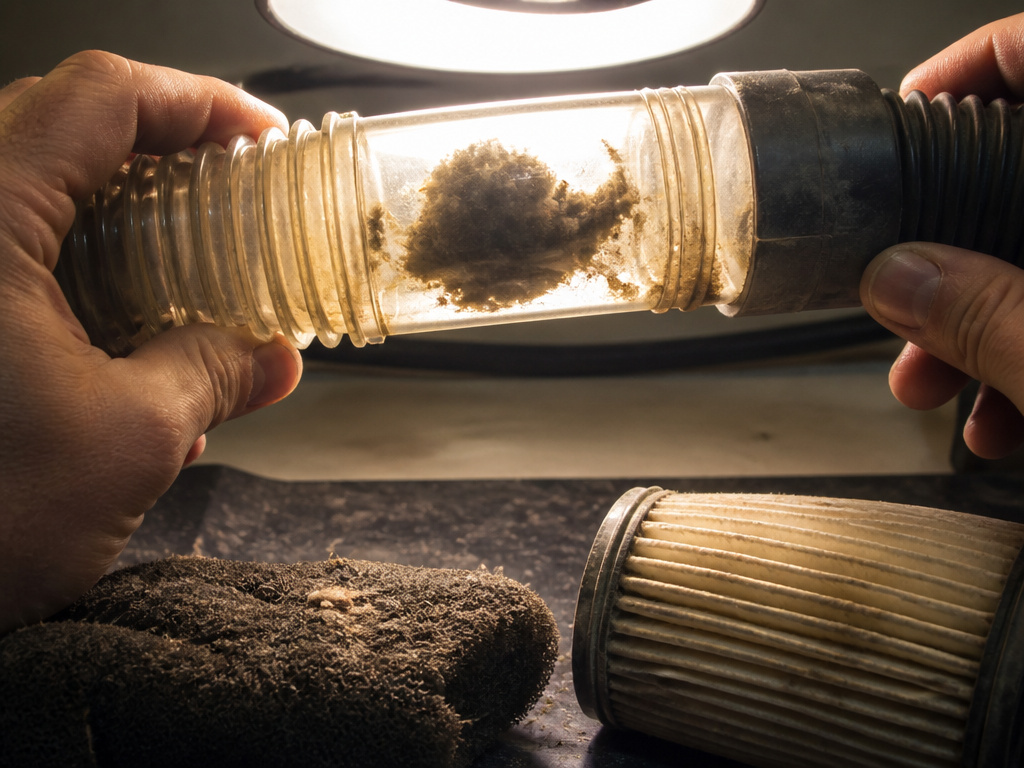
The thermal protector is a safety switch inside the motor housing. It trips when the motor temperature gets dangerously high, shutting off power to prevent a burnout. This feature is a last-ditch warning.
When it happens, the vacuum goes silent. You might smell a faint, hot-dust odor. Here’s the exact sequence from the Dirt Devil UD70100 manual:
- Turn the cleaner OFF and disconnect it from the electrical outlet.
- Check for an obvious blockage in the hose, wand, or brushroll.
- Wait 30 minutes. The manual specifies this cool-down period. The protector needs time to reset.
- Plug it back in and try again.
If the protector trips again on the next use, the problem is chronic. You have a persistent airflow restriction. The three usual suspects are a forgotten clog deep in the hose, a foam filter that hasn’t been rinsed in three months, or a pleated filter that’s two years old. Fix the restriction before you burn out the motor.
Tools and Replacement Parts You’ll Actually Need
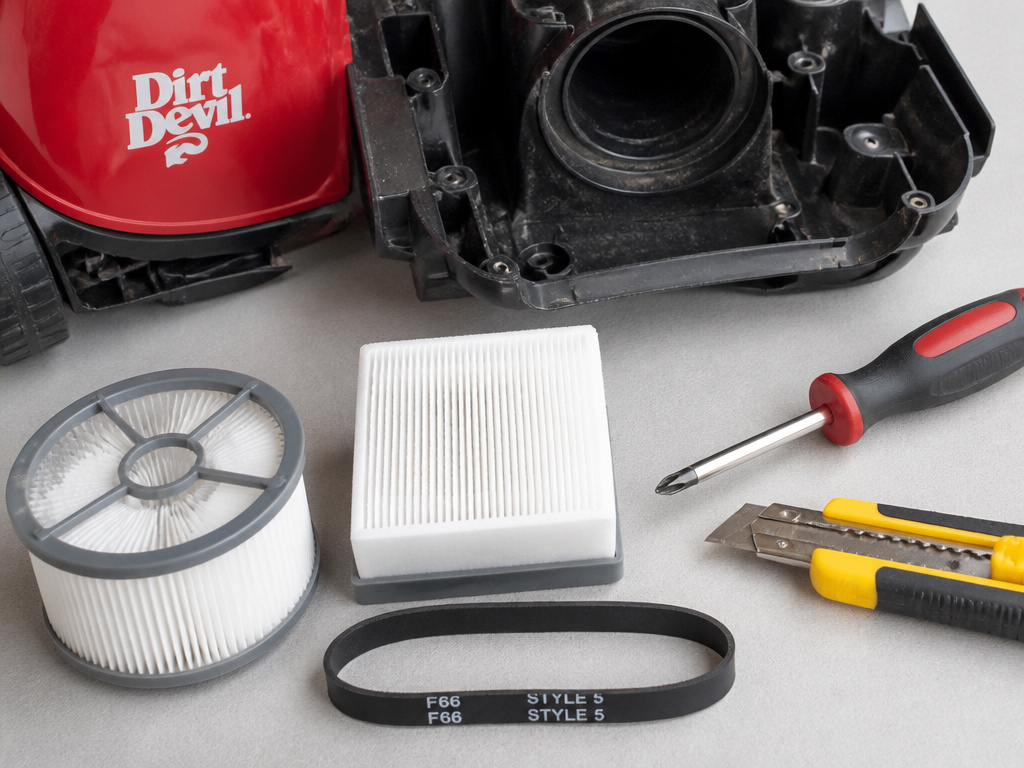
You don’t need a mechanic’s kit. These four items handle 95 percent of Dirt Devil maintenance.
- A clean, dry work surface. A garage floor or a towel on a table.
- A Phillips-head screwdriver. For removing the bottom plate to access the brushroll and belt.
- A utility knife or scissors. For safely cutting hair and string off the brushroll.
- Replacement filters and belts specific to your model. Don’t guess. The filter number is printed on the side of the old filter. For many uprights, it’s Filter F66. For numerous bagless models, it’s Filter F113 or F25. The belt is usually marked with a style number (e.g., Style 5).
Buying generic “fits all” belts is a gamble. A belt that’s too tight burns out the motor; one that’s too loose slips and melts. For a definitive list of models and compatible parts, our comprehensive Dirt Devil reviews cross-reference every number.
Frequently Asked Questions
Can I use soap to wash my Dirt Devil filter?
No. Dirt Devil manuals explicitly state “DO NOT USE SOAP/DETERGENT.” Soap leaves a residue that attracts more dust and can damage filter materials. Use cool water only for rinseable foam filters.
How often should I replace the belt on my Dirt Devil?
Replace the drive belt when it shows signs of wear: cracks, glazing, or stretching. If the brushroll stops spinning, the belt is likely broken. For moderate use, inspect it every 6-12 months. The Dirt Devil UD70100 Featherlight manual specifies Belt Style 5.
Why does my Dirt Devil smell bad when I turn it on?
Musty smell almost always comes from a foam pre-filter that was reinstalled while damp. Mold and mildew grow in the moist foam. Remove it, wash it with cool water, and let it air-dry completely for at least 24 hours. For persistent odors, a vacuum deodorizer designed for cleaners can neutralize smells in the hose and dirt cup.
Is my Dirt Devil vacuum bagless or bagged?
Most modern Dirt Devil models are bagless, using a clear dirt cup. If your vacuum has a compartment where you insert a disposable paper bag, it’s a bagged model. Bagged models also have filters that need regular replacement. For a comparison of the two systems, see our guide on the best bagless vacuum cleaner.
What does the thermal protector do?
The thermal protector is a safety device that cuts power to the motor if it overheats, preventing fire hazard and motor burnout. If your vacuum suddenly stops running, feels hot, and won’t restart, the protector has likely tripped. Unplug it, clear any blockages, and let it cool for 30 minutes as per the manual.
Can I use my Dirt Devil to clean wet messes?
No. Dirt Devil vacuums are for dry pickup only. Using them on wet surfaces or liquids poses a severe risk of electric shock and will damage the motor and filters. For wet cleanup, use a dedicated wet/dry vacuum.
The Bottom Line
Cleaning a Dirt Devil maintains the airflow the motor was designed for. Empty the cup every time.Tap the filter clean every time. Rinse the foam filter every calendar month, set a reminder. Replace the pleated filter every six months, like changing the oil in your car.
Ignore that schedule, and the decline is predictable. First, suction fades. Then, the motor runs hotter and louder. Finally, the thermal protector starts shutting it down mid-job. At that point, you’re not cleaning your floors; you’re slowly killing a quality vacuum cleaner.
The right filter and a sharp blade for the brushroll are all the investment you need. Do the small maintenance often, and the vacuum won’t need the big repairs.