
Key Dyson Vacuum Cleaner Tips on Filter Washing and Motor Health
This post contains affiliate links. As an Amazon Associate, we earn from qualifying purchases.
To keep a Dyson vacuum cleaner running at peak suction, wash its filter with cold water at least once a month and let it dry completely for a full 24 hours before reinstalling it. Using the machine with a damp filter risks immediate motor damage and mold growth inside the housing.
That 24-hour drying window isn’t a suggestion. It’s the gap between a filter that feels dry to the touch and one that’s bone-dry inside the pleats. Put it back damp, and you’re forcing the motor to pull air through wet material. The resistance spikes, the motor overheats, and the first sign is a burnt-plastic smell from the vents.
What follows breaks down the three maintenance layers every Dyson manual assumes you’ll follow: the filter’s strict schedule, the brush bar you can or cannot wash, and the bin-and-blockage protocol that keeps the automatic cut-out from tripping. Miss one, and the machine tells you within weeks.
Key Takeaways
- Wash the main filter under cold water every month, more often if you vacuum fine dust like plaster or use Max mode daily.
- Let the filter dry for a full 24 hours in a warm, ventilated spot. Using it damp is the fastest way to damage the motor.
- Never submerge a standard Motorbar brush head. Only the soft roller cleaner head is designed to be washed.
- Empty the bin when debris reaches the MAX line. Overfilling chokes suction and forces the filter to work harder.
- Store and use the vacuum above 3°C (37.4°F). Cold batteries won’t charge, and plastic becomes brittle.
The Monthly Filter Wash is Non-Negotiable
Your Dyson’s filter traps microscopic particles. As it loads up, airflow drops. The official maintenance schedule from Dyson’s support pages is unambiguous: wash it at least once a month for optimal performance. Newer models with an LCD screen will flash a reminder when it’s time.
Common mistake: Rinsing the filter and reinstalling it after a few hours. The pleats hold moisture long after the casing feels dry. That residual dampness invites mold and strains the motor.
The process is specific. Use cold water only, no detergents, no dishwasher. Tap the filter over a bin to loosen dry debris first. Rinse the outside, then carefully flush the inside without letting water pool inside the core. Repeat until the water runs clear. Shake out the excess vigorously.
Wash your filter at least once a month to maintain the best performance. Make sure the filter is completely dry before refitting. Place your filter end up. Leave your filter to dry for at least 24 hours in a well-ventilated, warm place. – Dyson HH12 Handheld Vacuum Manual
This 24-hour dry time is printed in multiple user guides. The filter must be bone-dry. A tumble dryer, microwave, or direct heat source can warp the plastic or melt the material.
| Filter Condition | Consequence | Timeline |
|---|---|---|
| Clean & Dry | Optimal suction, motor runs cool | Normal operation |
| Clogged & Dry | Reduced suction, motor works harder | Gradual power loss over weeks |
| Clean & Damp | Mold growth, motor overheating risk | Smell within days, potential damage within weeks |
| Clogged & Damp | Motor overload, automatic cut-out may trip | Immediate suction loss, repair likely |
If you vacuum construction dust, pet hair, or use the high-power Max mode constantly, wash the filter every two weeks. The manual for the Dyson CY28 cylinder model states fine dust like plaster requires more frequent washing. The debris coats the filter media faster, creating a dense barrier that air cannot penetrate.
Know Your Brush Bar (Before You Drown It)
Not all brush bars are created equal. This is where a well-intentioned cleaning session can break a several-hundred-dollar cleaner head.
Non-Washable Brush Bars: The standard Motorbar cleaner head on most upright Dyson models is not submersible. Its housing contains the drive motor and electrical connections. Submerging it can short the motor and rust the bearings. You clean it by cutting away wrapped hair and wiping the exterior with a dry cloth.
Washable Brush Bar: The soft roller cleaner head on models like the V15 Detect is designed for hard floors and is fully washable. It has a removable brush roll that pops out via a latch. You can rinse this roller under the tap. The key is to keep water away from the laser module or LED lights on the cleaner head itself.
The confusion costs people real money. I’ve seen a V11 Motorbar head rendered useless because someone ran it under the kitchen tap to clean off hair. The motor seized three days later. The fix wasn’t a simple dry-out; it was a full head replacement.
For any brush bar, regular de-hairing is mandatory. Most Dyson heads have a recessed slot for a coin to unlock the end cap, allowing you to pull the entire brush roll out for easy cleaning. A clogged brush bar doesn’t just reduce cleaning performance, it increases drag on the motor and can burn out the drive belt.
Empty the Bin Before It Hits the Max Line
Dyson’s clear bins aren’t just for show. They have a MAX fill line for a mechanical reason. When debris climbs past that line, it starts to compact against the cyclone shroud at the top of the bin. This restricts the air-path from the floor tool to the filter, causing suction to plummet.
The domino effect is real. Poor suction makes you push harder, which strains the motor. The filter also works overtime trying to pull air through a packed bin, clogging faster. The official guidance is simple: empty it as soon as you see the debris reach the line.
Where this goes sideways: Letting the bin overfill with fine, powdery dust. That dust gets packed into the cyclone’s small airways. The next time you empty the bin, a cloud of that dust gets sucked straight into the filter, clogging it instantly. Empty fine dust more often.
Here’s the right way to empty a Dyson bin, especially for cordless models: 1. Hold the vacuum over a trash can. 2. Press the bin release latch or slide the mechanism fully. 3. Let gravity do the work, don’t shake the machine violently. 4. For stuck debris, use a soft brush or the edge of a piece of paper to dislodge it. Never use sharp tools that can scratch the clear plastic or the cyclone seals.
A clean bin is a first line of defense against the dreaded “airway blocked error” message on your machine’s display.
Decode the Alerts and Avoid the Cut-Out
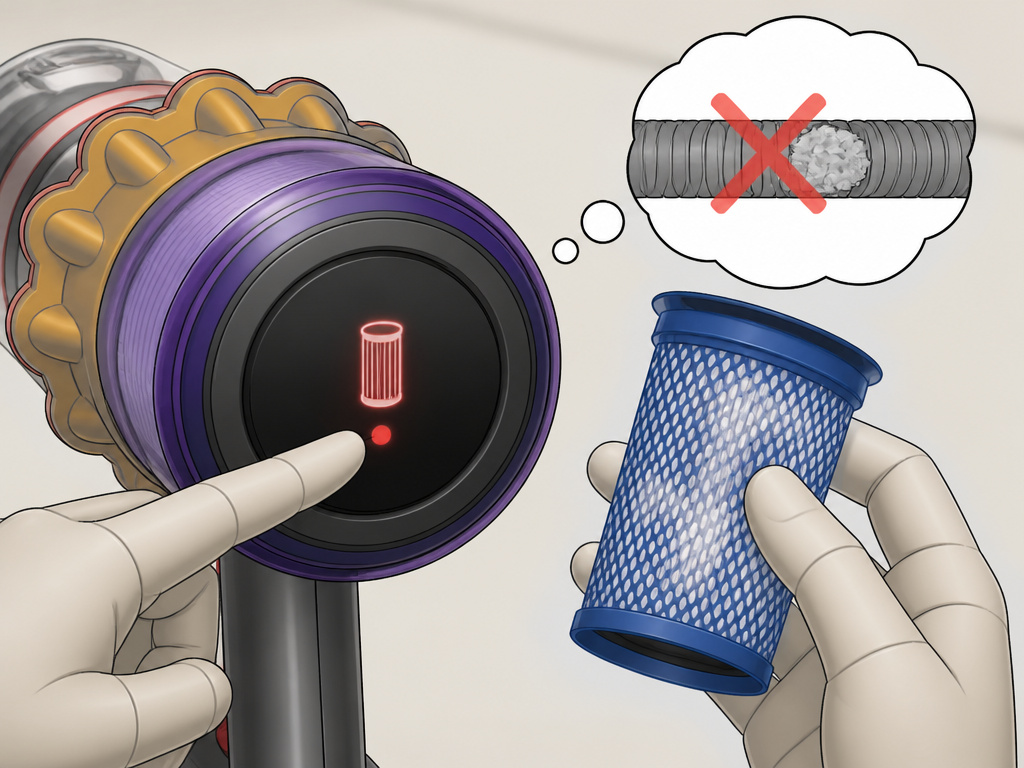
Modern Dysons communicate. Understanding these alerts prevents bigger problems.
Flashing Filter Light / LCD Alert: This is a maintenance reminder, not an error. It means the filter needs washing. Ignoring it and continuing to run the machine will slowly degrade suction. After washing, the alert should reset. If a filter light flashing persists, the filter may not be seated correctly or could still be damp.
“Airway Blocked” Message: The vacuum’s sensors detect a severe airflow restriction. This triggers an automatic thermal cut-out to protect the motor from overheating. The fix is a full blockage hunt: 1. Turn off and unplug (or remove the battery). 2. Check the floor tool, hose, wand, and bin inlet. 3. Look for a compacted wad of hair in the cleaner head or a small object stuck in the wand joint.
Unusual Noises: A high-pitched whine often points to a blockage. A grinding or rattling sound suggests a problem with the brush bar or a foreign object inside the cleaner head. Any weird noise is a stop-immediately signal. Continuing to run it can turn a simple debris removal into a repair for a head not spinning due to a burnt-out motor or stripped gears.
The Environmental Rules Everyone Forgets
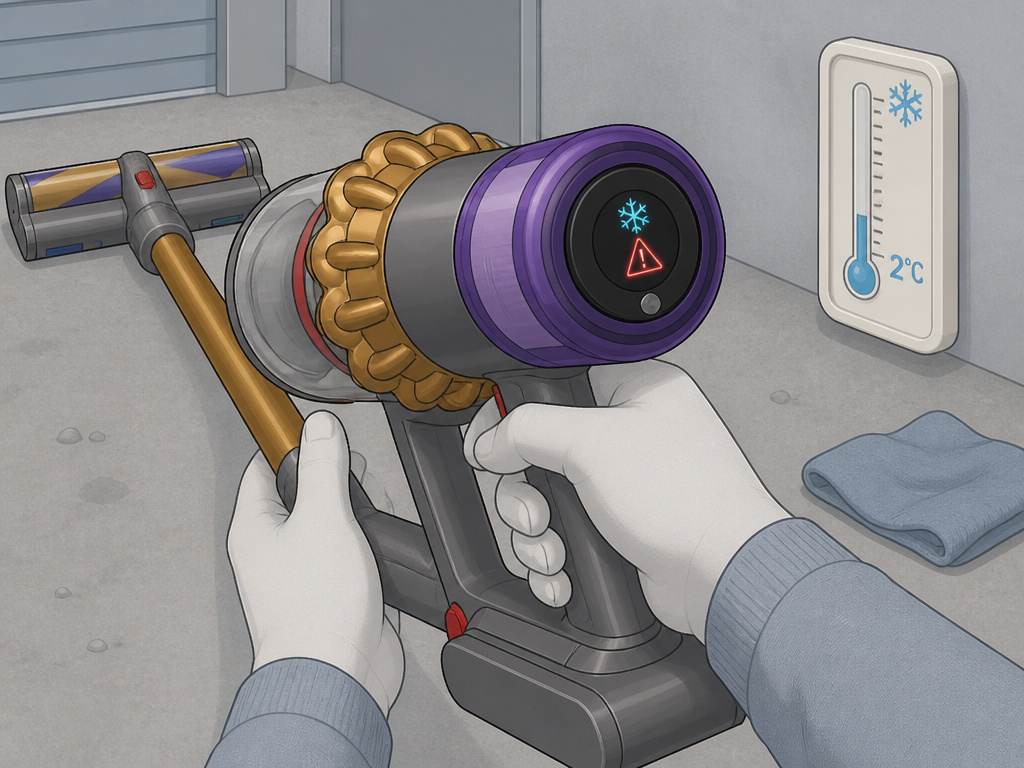
Dyson manuals include operating limits most people discover the hard way.
Temperature Matters: Do not use or store the vacuum below 3°C (37.4°F). For some handhelds, the limit is 5°C (41°F). Cold lithium-ion batteries will not charge, and plastic components can become brittle and crack. If you store it in a garage, let the machine warm to room temperature before using or charging it.
Garage or Workshop Use: If you do vacuum a garage, wipe the underside of the floor tool and the machine’s base plate with a dry cloth afterward. Grit and pebbles embedded there can scratch hardwood or laminate floors the next time you use it indoors.
Tool Compatibility: Newer machines with Quick release catches are not compatible with older Dyson tools. Forcing them can break the latches. Dyson sells an adapter, but it’s a hidden cost when you’re looking at a list of the best Dyson vacuum cleaners and planning to share accessories.
When to Go Beyond Tips and Seek Parts
Maintenance can’t fix everything. When a genuine part fails, you need a genuine replacement. Using third-party filters or brushes can upset the machine’s airflow balance and invalidate your guarantee. Each genuine Dyson part comes with its own 12-month warranty.
The most common replacement parts are filters, brush bars, and batteries. For cordless models, the battery is a wear item. Its lifespan is measured in charge cycles. When runtime drops below half of what it was new, it’s time for a new battery, not more troubleshooting.
If you’re comparing longevity, our Dyson vacuum comparison details which models have user-replaceable batteries and which require a service visit. That detail changes the total cost of ownership dramatically.
TL;DR: Monthly filter washes with 24-hour dry times protect the motor. Learn which brush bar you have before you wash it. Heed the bin’s MAX line and the machine’s error messages. Cold temperatures and non-genuine parts create failures maintenance can’t solve.
Frequently Asked Questions
Can I use my Dyson vacuum to clean up plaster or construction dust?
You can, but with extreme caution and frequent maintenance. Fine dust like plaster will clog the filter exceptionally fast. The Dyson CY28 manual explicitly states the filter may need more frequent washing if used for fine dust. You must empty the bin before it’s half-full to prevent dust from packing into the cyclones, and be prepared to wash the filter after every major use.
What happens if I accidentally use the vacuum with a damp filter?
You risk two things: mold growth inside the filter housing and immediate strain on the motor. The motor must work harder to pull air through the wet material, causing it to overheat. The first sign is often a hot, acrid smell from the machine’s vents. Stop using it immediately, remove the filter, and allow everything to dry completely for at least 24 hours.
Why does my Dyson keep shutting off after a few minutes?
This is almost always the automatic thermal cut-out engaging. A partial blockage, often in the hose, wand, or cleaner head, is restricting airflow. The motor overheats and the machine shuts down to protect itself. Unplug it, let it cool for an hour, and then perform a thorough clearing a blockage check of the entire air path.
Is it okay to leave my cordless Dyson on the charger all the time?
Yes, Dyson cordless models are designed to be left on the charging dock. The internal battery management system prevents overcharging. However, for long-term battery health, it’s better to store it in a cool, dry place if you won’t be using it for several weeks. Avoid storing it with a completely empty battery.
How do I clean the outside of my Dyson vacuum?
Use a damp, lint-free cloth. Do not use detergents, polishes, or abrasive cleaners. For stubborn marks on the bin, you can rinse it with cold water, but ensure it is completely dry before reattaching it to the motorized body. Never immerse the main body, cleaner head, or dock in water.
Before You Go
Stick to the monthly filter ritual with its full-day drying period. It’s the single most impactful habit for preserving suction and motor life. Identify your brush bar type, washing the wrong one is a costly error. Treat the MAX fill line in the bin as a hard stop, not a suggestion. Your Dyson is engineered to tell you what it needs, from flashing filter lights to blockage alerts. Listening to those cues is cheaper than ignoring them. For a deep dive into which model makes these tasks easiest, start with our guide to the best Dyson vacuum for your home.