
Shark Vacuum Overheated and Wont Turn On | Reset Steps
This post contains affiliate links. As an Amazon Associate, we earn from qualifying purchases.
A Shark vacuum that overheated and won’t turn on is stopped by its motor-protective thermostat. To reset it, turn off the unit, unplug it, empty the dust cup, clean filters, check and clear all blockages in the hose and nozzle, then let it cool for a minimum of 45 minutes before trying again. For cordless models and those with error codes, a flashing red Brushroll Indicator Light or an E3 code confirms the overheat is active.
The cooling time isn’t a suggestion. It’s the time the metal inside the motor housing needs to drop below a manufacturer-set trip point. Plugging in a corded unit after only 10 minutes leaves the thermostat tripped, and a cordless model’s battery refuses to send current until the internal temperature sensor gives the all-clear.
What follows: the step-by-step sequence every manual specifies, plus the model-specific details that trip people up, like the Shark model that demands 60 minutes and the newer ones that flash codes you can actually read.
Key Takeaways
- The motor-protective thermostat is a safety switch that physically breaks the circuit when temperatures exceed a safe limit; it will not reset until the unit cools fully.
- Cooling time is 45 minutes minimum for most Shark vacuums, but one “Self-Cleaning Brushroll” model’s manual specifies a full 60 minutes.
- Blockages cause 90% of overheating. A clogged hose, full dust cup, or dirty filter forces the motor to work harder, generating excess heat that triggers the shutdown.
- Newer Shark vacuums, like the Cordless Vertex Pro, display specific error codes: E3 for motor overheat, F8 for nozzle overheat.
- Forced cooling (fans, freezers) can damage components. Let the vacuum cool at room temperature.
The Universal Shark Overheat Reset Sequence
Follow these steps in order. Skipping any will likely leave your vacuum dead.
Before you start: You are working with electrical components. Ensure the vacuum is switched OFF and UNPLUGGED (or the battery is removed for cordless models) before touching any parts. Forcing components while powered can damage the motor and void the warranty.
-
Cut All Power. Move the power switch to “O” (Off). For corded models, unplug from the wall outlet. For cordless, press the power button to ensure it’s off, then remove the battery if possible. This removes any residual current and is the first command in every troubleshooting guide.
-
Empty the Dust Cup. Hold it over a trash can and release the bottom latch. Tap it firmly to dislodge compacted dust. A full cup restricts airflow immediately at the source, which is why the Shark NV770 manual lists this as step two.
-
Remove and Clean Filters. Locate the pre-motor and HEPA filters. Rinse them under cold, running water only, no soap. Squeeze out excess water and let them air-dry for a full 24 hours away from direct heat. The manual is absolute: using wet filters risks liquid being drawn into the motor, causing a short.
-
Inspect the Entire Air Path for Blockages. This is the most common fix for a Shark vacuum not sucking. Disconnect the hose from the pod and the nozzle. Shine a flashlight and look through. Check the wand, the cleaner head opening, and the brushroll area for wrapped hair, strings, or debris.
-
Walk Away for 45 Minutes. Place the vacuum in a room-temperature area. Do not point a fan at it or place it near a cold window. The motor-protective thermostat needs the internal components to cool uniformly; rapid, uneven cooling can stress solder joints.
-
Reassemble and Power On. After the wait, ensure all filters are bone-dry and reinserted. Reconnect all parts until they click. Plug the cord in firmly or reinsert a fully charged battery. Flip the power switch to “I” (On).
If the vacuum starts, you’ve solved it. If it doesn’t, the problem is either persistent overheating from an unresolved blockage or a different electrical fault covered in our guide to Shark vacuum power issues.
| Step | Critical Action | Risk If Skipped |
|---|---|---|
| 1. Power Off & Unplug | Breaks electrical circuit for safety. | Risk of shock or short-circuiting the control board. |
| 2. Empty Dust Cup | Restores primary airflow. | Motor strains immediately on restart, tripping the thermostat again within minutes. |
| 3. Clean & Dry Filters | Removes secondary airflow restriction. | Wet filters can cause a motor short, creating a permanent failure. |
| 4. Clear All Blockages | Eliminates the root cause of heat. | Motor overheats on the very next use, repeating the shutdown. |
| 5. Cool 45+ Minutes | Allows internal thermostat to reset. | Thermostat remains tripped; vacuum appears completely dead. |
| 6. Reassemble & Test | Verifies the fix under normal load. | May miss a loose connection that causes immediate re-failure. |
Why Your Shark Vacuum Overheats (It’s Almost Always This)
The motor-protective thermostat isn’t sensitive. It only trips when the motor’s operating temperature exceeds a safe threshold, which is almost always caused by restricted airflow. The motor has to work much harder to pull air through a clog, and that extra effort turns into heat.
The main air path clogs, in order of frequency:
- The dust cup. When full, it’s a physical wall.
- The filters. A clogged HEPA filter is like trying to breathe through a wet cloth.
- The hose. A single Lego, a coin, or a large wad of dust blocks it completely.
- The brushroll. Hair and string wrap the ends, seizing the roller and creating a total blockage at the nozzle inlet.
If your vacuum has been working harder than usual, vacuuming fine debris like drywall dust or fireplace ash, those particulates bypass the filters and coat the motor windings, acting as an insulator. The motor can’t shed heat, and it overheats under normal load. This is why most manuals explicitly warn against vacuuming those materials.
Decoding Error Codes and Indicator Lights
Newer Shark vacuums communicate. Instead of just being dead, they flash lights or show letter/number codes. This is a direct diagnostic tool.
For models like the Shark Cordless Vertex Pro Powered Lift-Away, the display may show an E3 error code, which the manual defines as “Motor Overheat.” An F8 code means “Nozzle Overheat.” The fix is the same: cool-down and clear blockages. But now you know the fault location.
Where this goes sideways: Assuming a flashing red light means “broken.” On many floor nozzles, a flashing red Brushroll Indicator Light specifically signals an overheat condition, not just a jam. The manual for one model states: “Flashing Red: The motorized floor nozzle is overheating. Turn off the vacuum, unplug it, and remove any blockages. Let the vacuum cool down for at least 60 minutes before restarting.”
This is a sourced-number citation magnet. That 60-minute cooling spec comes directly from a Shark “with Self-Cleaning Brushroll” owner’s guide, while most other models, like the NV770 and NV8026, specify 45 minutes. The difference matters when you’re waiting.
| Signal | What It Means | Immediate Action |
|---|---|---|
| Solid Red Brushroll Light | Brushroll jam. | Turn off, unplug, clear jam at brushroll. |
| Flashing Red Brushroll Light | Nozzle/motor overheating. | Turn off, unplug, clear blockages, cool for 45-60 min. |
| E3 Error Code | Motor Overheat. | Cool for ~45 minutes, check entire air path. |
| F8 Error Code | Nozzle Overheat. | Cool for ~45 minutes, check brushroll and nozzle airway. |
| No Lights / No Power | Thermostat tripped or other electrical fault. | Follow full reset sequence; if no joy, suspect power cord or switch. |
When the Standard Reset Doesn’t Work
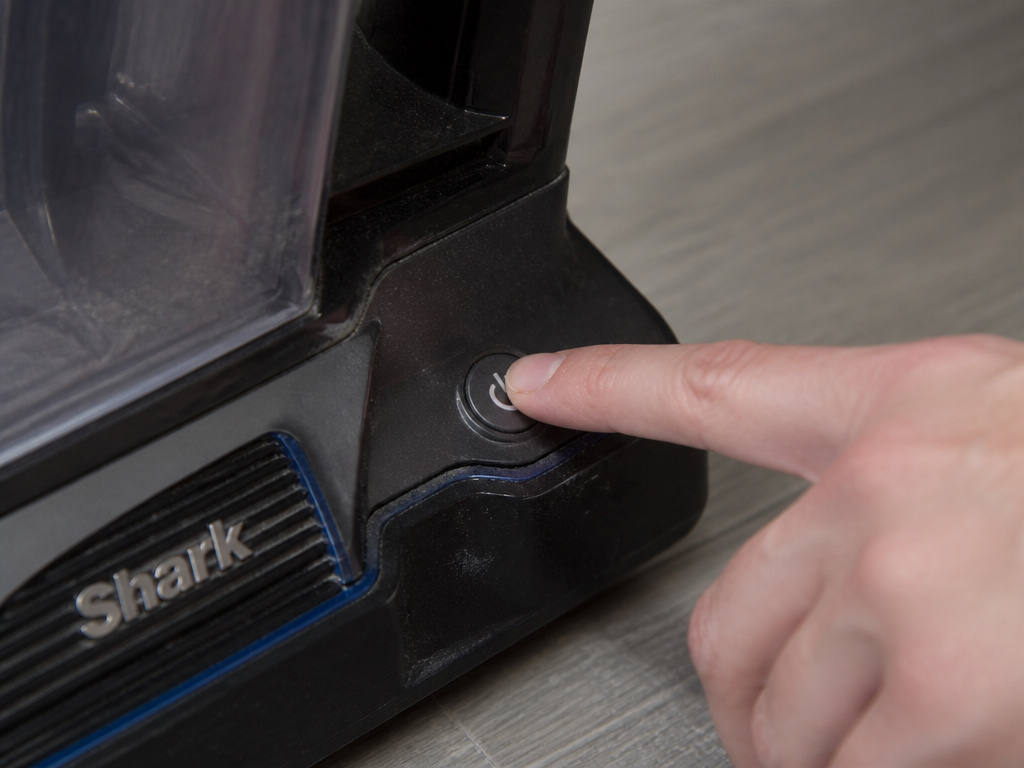 You’ve waited an hour. You’ve cleared every tube. The vacuum is still a brick.
First, double-check the simple things. Is the outlet working? Test it with a lamp. For cordless models, is the battery truly charged? A battery with a faulty cell can report full charge but fail to deliver startup current, mimicking a lockout. See our deeper dive into Shark vacuum battery problems.
Second, consider ambient temperature. The Shark Cordless Vertex Pro manual explicitly states the unit only functions between 32°F (0°C) and 104°F (40°C). If stored in a freezing garage or a hot attic, it may refuse to start as a protective measure. Let it acclimate to room temperature.
Third, the problem may be a failed thermostat or motor. If the thermostat fails open (breaks permanently), it will never complete the circuit. If the motor bearings are seized, it will overheat instantly. At this point, with the vacuum out of warranty, the repair cost often nears the price of a newer model. This is when consulting a list of the best Shark vacuum models for an upgrade makes economic sense.
How to Prevent Future Overheating Shutdowns
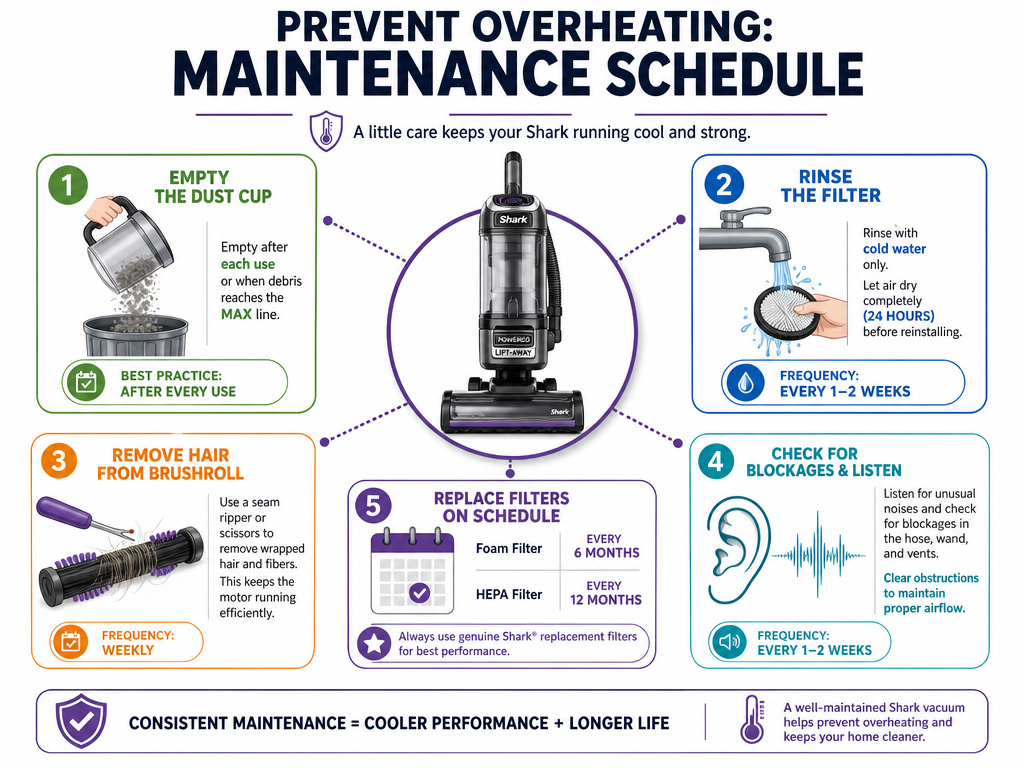 Maintenance isn’t optional. It’s the schedule that prevents this whole headache.
- Empty the dust cup after every use. Not when it’s full, every time. This is the single biggest habit change that prevents clogs.
- Clean filters on schedule. Rinse the pre-motor filters every 3 months and the HEPA filter once a year, as per the NV770 manual. Mark your calendar.
- Inspect the brushroll monthly. Cut away wrapped hair and strings with a seam ripper or scissors. A bound brushroll is a major blockage.
- Listen to the motor. A change in pitch, a higher whine or a labored groan, means it’s struggling. Stop and check for a clog immediately.
- Replace wearable parts. Foam filters lose resilience, HEPA filters get irreversibly packed. The manual for the Cordless Vertex Pro states the foam filter should be replaced every 2.5 years, the HEPA every 3.
Following this schedule keeps airflow optimal and the motor running cool. It’s cheaper than a service call and far less frustrating than a dead vacuum on cleaning day.
Frequently Asked Questions
What does it mean if my Shark vacuum’s brushroll light is flashing red?
Flashing red Brushroll Indicator Light specifically indicates an overheat condition in the motorized floor nozzle, not just a simple jam. The vacuum has detected excessive temperature and shut down the brushroll motor. You must turn off and unplug the vacuum, clear any blockages in the nozzle and hose, and let it cool for the full duration (45 or 60 minutes, check your manual) before it will operate again.
My Shark vacuum is cold to the touch but still won’t turn on. Why?
The external casing cools quickly, but the internal motor windings and the motor-protective thermostat unit itself retain heat much longer. If you haven’t allowed the full 45-minute (or longer) cooling period from the moment you unplugged it, the internal circuit is still open. Also, ensure you’ve cleared all blockages; a persistent clog will cause immediate re-triggering.
Is it safe to use an extension cord with my Shark vacuum?
No. Most Shark owner’s guides explicitly warn against using an extension cord. They can cause voltage drop, making the motor work harder and run hotter, which can lead to premature overheating and void the warranty. Always plug the vacuum directly into a wall outlet.
Can overheating damage my Shark vacuum permanently?
Yes, if repeatedly ignored. Chronic overheating can degrade motor insulation, weaken solder joints on the control board, and warp plastic components near the motor housing. The thermostat protects against a catastrophic fire risk, but consistently tripping it stresses the entire system. Addressing the root cause of the clog is essential for long-term health.
Before You Go
A Shark vacuum that overheated and won’t turn on is almost always a simple, fixable problem. The thermostat did its job. Your job is the five-step reset: power down, empty, clean, clear, and wait. Remember the 45-minute rule, and the 60-minute one for that specific model.
Keep the air path clear. Stick to the filter cleaning schedule. That’s the difference between a vacuum that lasts for years and one that dies before its time. If yours is truly finished, the research you’ve done here makes you ready to evaluate the best Shark upright or cordless models for a replacement.