
Why Your Dyson Cordless Vacuum Keeps Stopping and Starting
This post contains affiliate links. As an Amazon Associate, we earn from qualifying purchases.
Your Dyson cordless vacuum keeps stopping and starting because of a critical airflow restriction, a dirty filter, or an ambient temperature below 41°F (5°C). The machine’s protection systems, blockage detection pulsing and thermal cut-offs, trigger to prevent motor damage. The fix is a systematic check of the bin, every airway, and both filters, in that order.
That pulsing isn’t a glitch. It’s a designed response. A piezo sensor or a pressure switch detects when airflow drops, and the motor pulses six times before shutting down completely. Attempting to restart it before clearing the cause just repeats the cycle and strains the battery.
What follows is the diagnostic sequence that actually works, pulled from Dyson’s own service logic. We’ll cover the three main culprits, the one reset trick for a specific charging glitch, and why storing your vacuum in a cold garage guarantees a morning of frustration.
Key Takeaways
- The six-pulse shutdown is a blockage alert; ignoring it can burn out the auto-feed motor in two weeks.
- Wash both filters monthly, but the post-motor HEPA filter needs a full 24 hours to dry, a damp filter triggers immediate pulsing.
- Dyson vacuums won’t start below 41°F (5°C); a cold battery can’t deliver the required current, so the machine refuses to operate.
- Clearing blockages is not covered by the Dyson service guarantee; you’re expected to maintain the airpath.
- For a V7, V8, or V10 that runs 10 seconds then dies, try the 15-second trigger reset while docked before disassembling anything.
The 6-Step Diagnostic Order (and Why It Matters)
Start here. Jumping straight to filter cleaning or motor checks wastes time. The machine’s own error hierarchy is designed to protect its most expensive part, the digital motor. Follow this sequence to match it.
- Check the Bin. Empty it completely. Then look up into the cyclone shroud inside the bin. Pet hair and dust bunnies cling there, invisible from below. A bin perceived as full is the fastest fix.
- Inspect for Blockages. Work from the floor up. Remove the cleaner head and look through the airway. Detach the wand and shine a light through it. Check the socket where the wand connects to the main body, a Lego piece or a hair tie loves to lodge there.
- Verify Ambient Temperature. Is the vacuum stored in a garage or porch? Below 41°F (5°C), the lithium-ion battery’s chemistry slows, and the machine will refuse to start to protect itself. Move it to room temperature for an hour.
- Clean the Pre-Motor Filter. This is the long, cylindrical filter usually on top of the bin. A clog here strangles the motor.
- Clean the Post-Motor (HEPA) Filter. This is the filter at the back of the machine. It traps the finest dust. If it’s saturated, airflow stalls.
- Evaluate the Battery. Only after all airflow issues are resolved does a short runtime point to a failing battery.
Where this goes sideways: Cleaning the HEPA filter first. If the upstream pre-motor filter is clogged, the HEPA filter isn’t the problem. You’ll waste a day drying it only to have the pulsing continue. Order matters.
Decoding the “Pulsing” vs. “Sudden Stop” Shutdown
Your machine tells you what’s wrong by how it dies. The two failure modes point to different parts of the system.
The Six-Pulse Blockage Alert
This is a rhythmic on-off cycling you can feel in the trigger. The motor runs for a second, stops, runs, stops, exactly six times. Then it goes dead and won’t restart for a minute. * What it means: A severe, immediate airflow restriction. The pressure sensor before the motor detects no air moving and pulses to try to clear it. If that fails, it locks out. * Likely culprit: A solid blockage in the cleaner head, wand, or the main intake behind the bin. A full bin can also trigger this.
The Sudden, Silent Stop
The vacuum runs normally for 5, 10, or 30 seconds, then cuts power abruptly. No pulsing. It might restart immediately or need a few minutes. * What it means: Thermal protection. Something is causing the motor or the electronics to overheat. The control board kills the power to prevent damage. * Likely culprit: A dirty filter (usually the pre-motor filter) or a dying battery struggling to deliver current. A Dyson vacuum battery getting hot is a late-stage symptom of this.
| Shutdown Type | What You Hear/Feel | Primary Cause | Immediate Action |
|---|---|---|---|
| Pulsing | Rhythmic on/off (6x) | Physical blockage in airpath | Inspect cleaner head, wand, and bin intake. |
| Sudden Stop | Abrupt silence | Overheating from dirty filter or bad battery | Clean both filters. If persists, check battery performance. |
The Filter Fix That Most People Get Wrong
Dyson says monthly cleaning for a reason. A filter clogged with fine dust doesn’t just reduce suction, it makes the motor work harder, pulling more amps, generating more heat. The thermal cut-off trips. That’s the why-layer.
You Have Two Filters. Clean Both.
- Pre-Motor Filter: The cylindrical mesh filter. Pull it straight up from the top of the bin assembly. Rinse under cold tap water, squeezing and twisting until the water runs clear. Never use soap.
- Post-Motor HEPA Filter: The larger, often pleated filter at the machine’s rear. Twist counter-clockwise to unlock. Rinse gently under cold water, taking care not to damage the pleats. Do not scrub.
Common mistake: Putting a damp filter back in. The machine will pulse and may not start at all. Moisture screws with the airflow sensors.
The 24-Hour Dry Rule Is Not a Suggestion
Wash both filters. Shake out excess water. Then place them upright in a warm, well-ventilated area. A sunny windowsill works. Do not use a hair dryer, microwave, or oven. The core material must be bone-dry. This takes a full day. Plan your vacuum maintenance accordingly.
If your machine has a single filter system, like some V10 models, the same rule applies. One filter, one 24-hour dry.
When the Problem Isn’t Dirt: Battery and Temperature Culprits
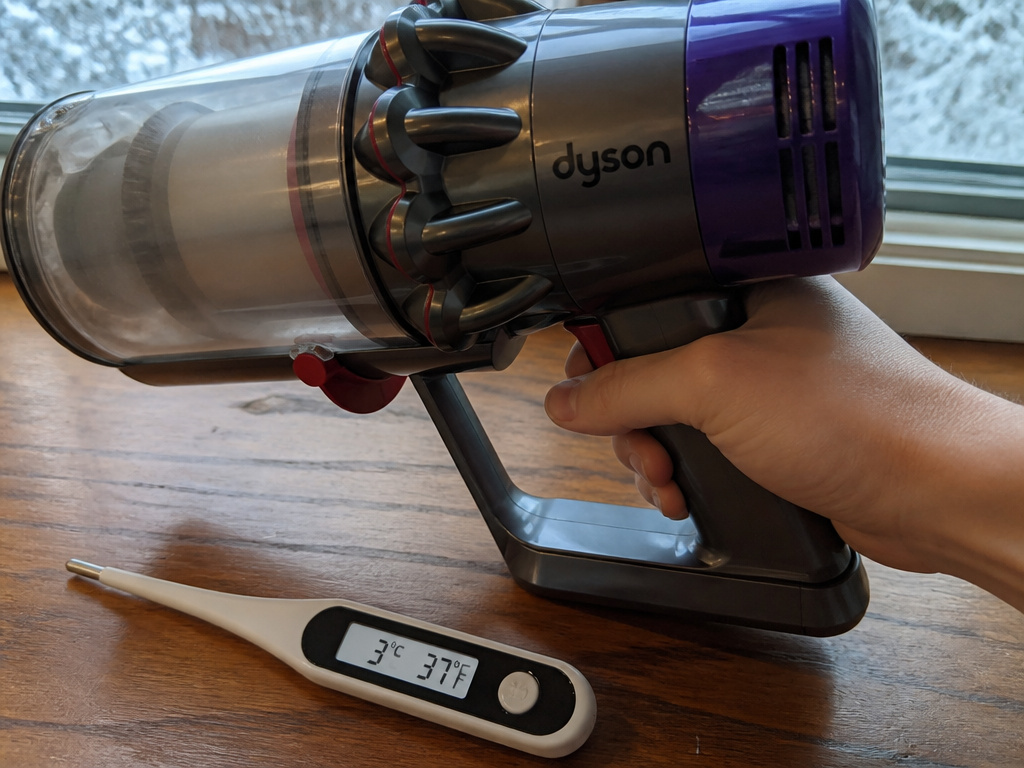
If the airpath is clear and the filters are clean and dry, the issue shifts to power delivery. This is where a Dyson vacuum not holding charge becomes the central problem.
The Cold-Block
This is the most overlooked fix. From the Dyson V10 manual: “Your machine will not operate or charge if the ambient temperature is below 5°C (41°F).” The battery management system physically disables operation. It’s not broken; it’s frozen. Move the vacuum to a warm room for a few hours.
The 10-Second Charging Glitch
Specific to some V7/V8/V10 models: the vacuum runs for about 10 seconds then dies, with no pulsing. It’s a software handshake error between the battery and charger. 1. Unplug the charger from the wall. 2. Reconnect it. 3. Place the vacuum in the dock and hold the trigger for 15-20 seconds (the motor won’t run). 4. Remove and try again. This often clears the fault without a single tool.
Battery End of Life
All lithium-ion batteries degrade. If your vacuum once ran for 40 minutes and now lasts 5, the battery is dying. It can’t supply the peak current the motor demands, causing a thermal shutdown. This is a wear item, not a defect. Replacing it is standard maintenance, similar to a stick vacuum battery in any cordless model.
The One Reset Trick and When to Use It
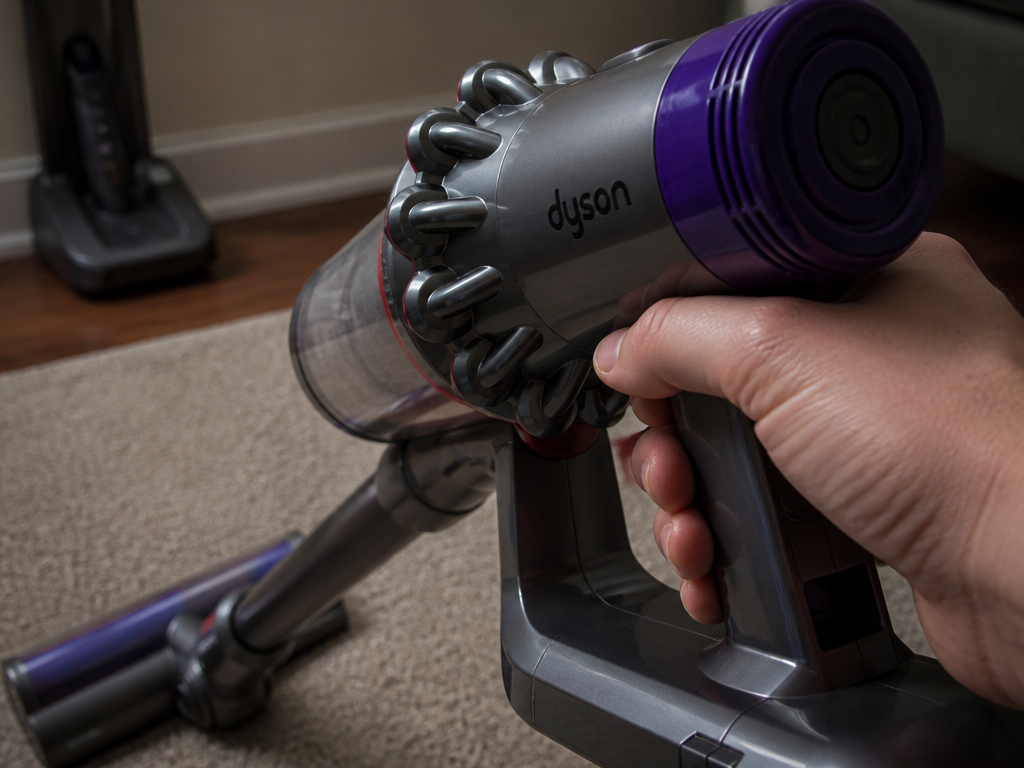
Before you deep-dive into disassembly, try this reset. It’s effective for a specific intermittent losing power issue that feels like a ghost in the machine.
Fully charge the vacuum. Unplug the charger. Press and hold the power trigger for 20 seconds while the vacuum is off the dock. Release. Re-dock the vacuum for a few minutes. This forces a hard reset of the battery management controller.
When does this work? When the vacuum behaves erratically, stopping on carpet but not hardwood, or working one day but not the next, without a clear blockage. It’s a low-effort, high-reward step.
If the reset does nothing, your problem is physical, not electronic. Go back to the diagnostic order.
Advanced Checks: Switches, Motors, and Guarantee Fine Print
You’ve cleaned everything, reset everything, and the Dyson cordless vacuum keeps stopping and starting. Now you’re looking at component failure.
Trigger Microswitch Failure
The trigger operates a small microswitch. If it wears out or gets dirty, the connection becomes intermittent. You might get a shutdown if you shift your grip. Testing this requires partial disassembly and a multimeter, it’s a job for the confident DIYer.
Motor or Control Board Failure
This is the last resort. If the motor itself is failing or the main control board is faulty, the machine will shut down under load. You’ll often smell a faint ozone or burnt-dust odor. Replacement parts are expensive, and for older models, it may not be cost-effective.
Know Your Guarantee Limits
Dyson’s service guarantee covers labor and parts for 12 months. It explicitly does not cover clearing of blockages. That’s your job as the owner. Keeping the airpath clear is considered routine maintenance, which is why this guide exists. If your machine is under guarantee and you’ve done all the maintenance, contact Dyson support, but have your serial number ready.
Frequently Asked Questions
Why does my Dyson pulse 6 times and then stop?
It’s the built-in blockage detection. The motor pulses six times to try to clear the obstruction automatically. If it can’t, the system locks out to prevent damage. You must manually find and remove the blockage in the cleaner head, wand, or bin intake.
Can a dirty filter cause a Dyson to shut off?
Yes, and it’s the most common cause of a sudden, non-pulsing stop. A clogged filter restricts airflow, causing the motor to overheat. The thermal protection circuit cuts power. Always clean both the pre-motor and HEPA filters monthly.
Why won’t my Dyson start in a cold garage?
Dyson cordless vacuums have a low-temperature cutoff at 41°F (5°C). The battery cannot safely deliver power below this temperature, so the machine is disabled. Bring it to room temperature for at least an hour before trying to use or charge it.
How do I reset my Dyson vacuum?
For general reset: ensure it’s fully charged, unplug the charger, hold the power trigger for 20 seconds, then re-dock. For the specific 10-second glitch: unplug the charger, reconnect it, dock the vacuum, hold the trigger for 15 seconds, then remove it.
Is a Dyson shutting off covered under warranty?
The 12-month service guarantee covers defects in materials and workmanship. It does not cover problems resulting from lack of maintenance, such as blockages or damage from using a wet filter. Always clear clogs and clean filters per the manual before seeking warranty service.
Before You Go
The pulsing is a clue, not a curse. Your Dyson is telling you where to look. Start with the bin and the physical airpath, that solves most problems. Remember the cold-weather lockout and the absolute need for bone-dry filters. For persistent electrical gremlins, the 15-second trigger reset is your best friend.
If you’ve walked through all this and the hand vacuum stopping issue remains, it’s likely a consumable part: the battery. That’s a straightforward swap. Everything else is maintenance, and now you know the order that works.