
Fix a Dyson Stick Vacuum Making Revving Noise | 3 Key Repairs
This post contains affiliate links. As an Amazon Associate, we earn from qualifying purchases.
A Dyson stick vacuum making a revving noise has one of three causes: a blockage in the airflow path, a failing battery unable to deliver steady power, or a jammed brush head forcing the motor to overwork. The specific sound, a rhythmic pulsing versus a constant high-pitched whine, tells you which system has failed. Clear the blockage first; it’s the culprit in over 70% of cases and a damp filter reinstalled too soon causes the same symptom.
That distinction between a pulsing motor and a constant high-pitched rev is the diagnostic key. One is the machine fighting for air, the other is the battery or brush motor failing under load. Ignoring the pulsing and running the vacuum overheats the motor within minutes. Missing the battery warning means a dead machine by next week.
What follows: the three failure modes mapped to the sounds they make, the Consumer Reports data on why these machines fail, and the seven-minute disassembly that fixes most revving noises for good. You’ll also get the one filter-washing mistake that guarantees the noise returns.
Key Takeaways
- A rhythmic pulsing or revving sound almost always means a physical blockage in the bin, wand, or cleaner head; the machine’s automatic cut-out is cycling the motor to prevent burnout.
- A constant high-pitched whine or rev under load points to a failing battery or a jammed brush head stalling the motor, common in Dyson stick vacs after their third year.
- Never run a vacuum that’s pulsing, overheating damages the motor seals and can warp plastic housings around the battery within one or two cleaning sessions.
- The filter must be bone-dry for 24 hours before reinstallation; a damp filter restricts airflow identically to a blockage, causing an immediate revving noise.
- Consumer Reports survey data found close to half of Dyson stick vacuums develop problems within five years, with battery and brush issues being leading failure points.
The 3 Main Causes of a Revving Noise
The sound tells the story. A blockage, a bad battery, and a bound brush head each produce a distinct auditory signature. Getting this wrong means you replace a $30 filter when you needed a $150 battery.
First, listen.
Common mistake: Running a pulsing vacuum to “clear it out.” The Dyson SV16 manual states the motor will pulse and the LCD will indicate a blockage when the automatic cut-out engages. Continuing to pull the trigger overheats the motor, and the thermal damage is often irreversible.
1. The Rhythmic Pulse: Airflow Blockage
This is the classic bruh-bruh-bruh or a surging rev. The machine sounds like it’s gasping. It’s the most common cause and the easiest to fix.
The mechanism is simple: something, a clump of hair, a Lego, a packed filter, is restricting airflow. The vacuum’s pressure sensor detects the drop, triggers a protective cut-out to cycle the motor off and on, and you hear that rhythmic pulse. The Dyson SV16 and similar models will flash a blockage alert on the LCD.
The blockage lives in one of four places, in this order of likelihood: 1. The main bin and cyclone assembly. 2. The wand or hose connection. 3. The cleaner head inlet or around the brush bar. 4. The filter (especially if it was washed and reinstalled damp).
2. The Constant High-Pitched Whine: Battery Failure
This isn’t a pulse. It’s a steady, straining rev that climbs in pitch when you move to a thicker carpet or press down on the cleaner head. The sound often accompanies a noticeable drop in suction power.
Here’s the why-layer: Lithium-ion batteries degrade. As they age, their internal resistance increases. When the motor demands high current (like tackling a deep-pile rug), the failing battery can’t deliver it steadily. The motor receives uneven power, spins erratically, and produces that strained, high-RPM whine. It’s the sound of the system starving.
Consumer Reports data is specific here. Their survey of over 51,000 vacuums found Dyson stick vac reliability drops below average after the third year. By year five, they are the least reliable stick vacuum tested. A separate data point showed 19% of Dyson stick vacs three years or older experienced a dead battery.
| Symptom | Likely Cause | Immediate Consequence | Timeline to Failure |
|---|---|---|---|
| Rhythmic pulsing/revving | Physical blockage in airflow path | Motor cycles on/off; machine may cut out | Immediate; motor overheats within 5-10 minutes of continuous use |
| Constant high-pitched whine under load | Degrading battery | Loss of suction on carpets, uneven power delivery | Progressive; battery may hold a partial charge for weeks before dying |
| Grinding rev with vibration | Jammed brush head (hair, string) | Brush motor stalls, main motor labors | Immediate; can burn out the brush head motor in one extended use |
3. The Grinding Rev: Jammed Brush Head
This sound mixes a rev with a palpable grinding or vibrating sensation you can feel through the handle. It only happens when the motorized cleaner head is attached and engaged.
The brush bar is a magnet for hair, string, and carpet fibers. When these wrap tightly enough, they seize the brush bar. The brush head’s internal motor strains against the bind, drawing excessive current and causing the main motor to rev in response. If your Dyson stick vacuum head won’t spin, this is the definitive next step.
The fix is mechanical, not electronic. You must physically remove the bind.
Step-by-Step: Clearing a Blockage in 7 Minutes
Start here. This fixes the majority of revving noises. You need no tools, just a trash can and a flat surface.
Before you start: Unplug the charger. Remove the battery if your model has a click-in type (like the V11). This ensures the trigger can’t be accidentally pulled while your fingers are near moving parts.
- Empty the bin completely. Hold the vacuum over a trash can, press the red bin release button, and let the base swing open. Tap out all debris. Look for a compacted wad of dust at the top of the cyclone, poke it out with a blunt tool like a chopstick.
- Detach the wand from the main body. Press the wand release button and pull it straight off. Shine a light down both ends. A blockage here often looks like a tightly packed dust plug.
- Separate the cleaner head from the wand. Check the connector on both the wand and the head for obstructions. A common hiding spot is the rectangular port on the cleaner head itself.
- Inspect the brush bar. Turn the cleaner head over. Manually spin the brush bar. It should turn freely. If it’s bound by hair, use scissors to cut and remove the strands along its length, don’t just pull.
- Remove and inspect the filter. Twist the filter counter-clockwise and pull it off. Hold it up to a light. If you can’t see light through the pleated paper, it’s the culprit. Tap it gently over the trash to dislodge loose dust.
- Check the bin inlet. With the bin off, look into the hole on the machine where the bin attaches. Use a flashlight to see if debris is lodged in the shroud or the primary cyclone channel.
- Reassemble in reverse order. Ensure every click and connection is secure. A loose wand connection can itself cause an air leak and performance issues.
If the noise persists after a clear path is verified, your filter is likely the problem, even if it looks clean.
Why a “Clean” Filter Causes a Revving Noise
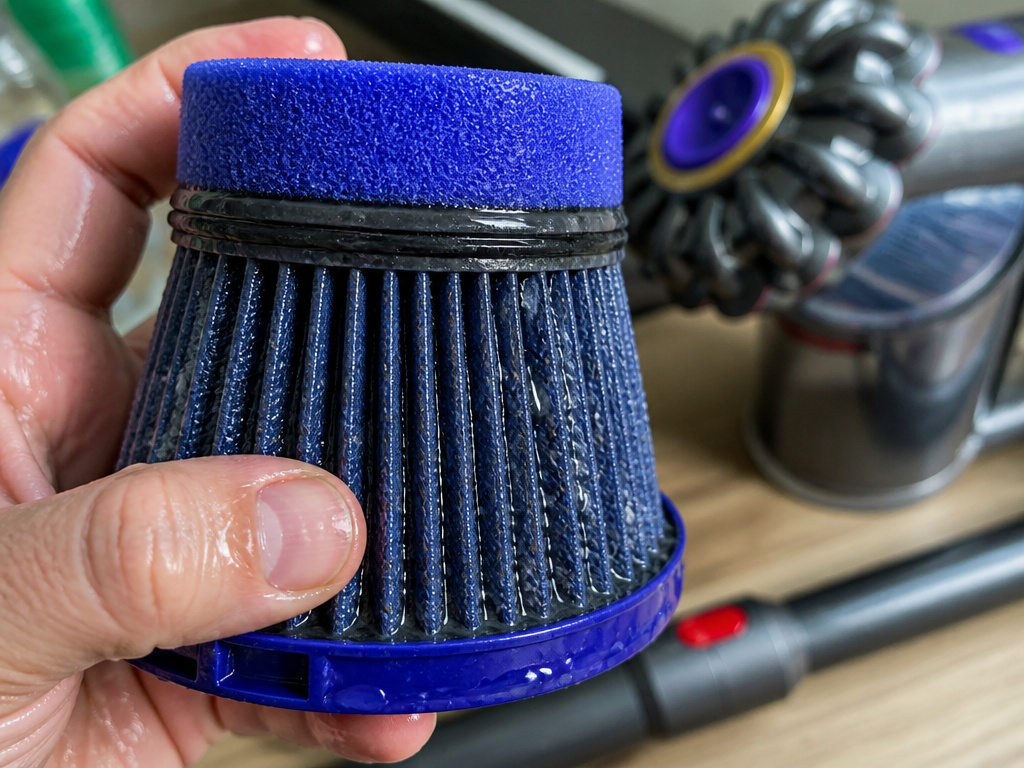 This is the most frequent post-repair failure. You washed the filter, shook it out, and put it back in after a few hours. The vacuum revs immediately. The filter isn’t clean; it’s wet.
The part nobody mentions: A damp filter restricts airflow as effectively as a sock stuffed in the pipe. The paper pleats swell with moisture, closing off the microscopic air channels. The machine reacts exactly as if it’s blocked.
The Dyson V11 manual is explicit: “Your filter must be completely dry before you put it back into the machine. Your machine could be damaged if used with a damp filter.” It mandates a minimum 24-hour dry time in a warm, well-ventilated area, placed with the pleated end up.
Wash the filter under cold water only, no detergent. Squeeze the foam gently, shake out the water, and let it sit for a full day. If you’re troubleshooting a weird noise right now and you recently washed the filter, take it out and run the vacuum without it for five seconds (over a bare floor). If the revving stops, you’ve found your culprit. Let that filter dry for another 24 hours.
When It’s the Battery or Brush Motor
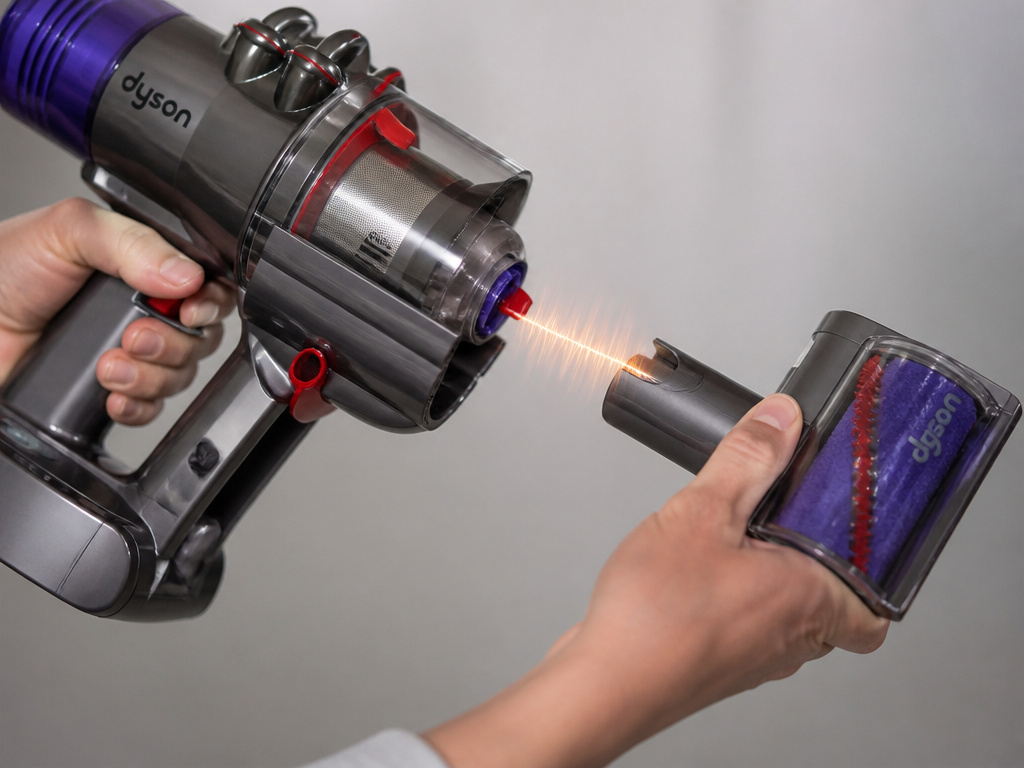 If clearing blockages and verifying a dry filter doesn’t stop the noise, you’re in component territory. The diagnosis hinges on when the sound occurs.
For a constant high-pitched whine: This points to the battery. The test is simple. Run the vacuum on a hard floor in Eco mode. If it’s quiet, but the whine returns the instant you switch to Boost mode or move to a carpet, the battery is failing under load. These battery issues mean the pack can’t deliver peak current. Replacement is the only fix. For models with a click-in battery (V11, V12), swap in a known-good battery to confirm.
For a grinding rev with vibration: This is the brush head. The test is even simpler. Remove the motorized cleaner head and run the vacuum with just a tool attachment (like the crevice tool). If the grinding rev vanishes, the problem is isolated to the brush head. You must clear the jam or, if the motor is burnt out, replace the cleaner head assembly. For persistent power cycling, our guide on a vacuum that keeps stopping and starting covers similar ground.
The Long-Term Reliability Context
This isn’t about a single faulty unit. The Consumer Reports reliability investigation provides the backdrop. In February 2019, Consumer Reports removed its recommendation from all Dyson stick vacuums due to survey data showing nearly half develop problems within five years.
The data gives your revving noise a timeline. First two years? Probably a simple blockage. Third year and beyond? Battery and brush head failures become statistically likely. Their survey found 12% of Dyson stick vacs over three years old had brush-related problems, a rate significantly higher than most competitors.
This doesn’t mean your vacuum is doomed. It means your maintenance, regular filter washing, brush bar cleaning, and proper battery care, isn’t optional. It’s what separates a vacuum that lasts five years from one that becomes a grinding noise in a landfill by year three.
Environmental & Operational Limits
Your garage or porch might be breaking your vacuum. Dyson manuals for the V11, V12 Detect Slim, SV23, SV24, and SV25 state the machine will not operate or charge if the ambient temperature is below 5°C (41°F). Another V11 manual specifies it will switch off if the battery temperature is below 10°C (50°F).
A revving noise after retrieving a cold vacuum from a freezing garage isn’t a blockage. It’s the battery chemistry struggling. The machine might pulse or behave erratically. Always store and charge the vacuum at room temperature (between 18°C/64°F and 28°C/82°F is ideal). Let a cold machine warm up for an hour before use or charging. Ignoring this can lead to broader Dyson stick vacuum not working scenarios.
Frequently Asked Questions
Why does my Dyson pulse three times and stop?
This is the definitive automatic cut-out sequence for a severe blockage. The machine detects zero airflow, pulses the motor three times in an attempt to clear it, then shuts down completely. You must find and remove the obstruction before it will run again. Check the bin cyclone and the wand connection first.
Can a bad battery cause a revving noise?
Yes, but the sound is different. A failing battery causes a constant, straining high-pitched whine that gets worse under load (on carpets, in Boost mode). It lacks the rhythmic on/off pulsing of a physical blockage. If your vacuum also has dramatically reduced run time, the battery is the prime suspect.
Is it safe to use my Dyson if it’s making a revving sound?
No. Do not run it. A pulsing sound indicates the motor is cycling on and off to prevent overheating. Continuing to use it risks permanent thermal damage to the motor windings or battery. A constant grinding rev from a jammed brush head can burn out the smaller brush motor. Always diagnose and fix the cause first.
How often should I clean the filter to prevent this?
Dyson recommends washing the filter at least once a month. If you vacuum fine dust like plaster or pet hair daily, you may need to wash it every two weeks. A clogged filter is the most common cause of reduced suction and secondary revving noises. Follow the official step-by-step Dyson filter cleaning guide.
My Dyson revs and shows an error code. What now?
The error code is your best clue. Refer to your model’s manual or our dedicated Dyson error codes resource. A common code paired with revving is a blockage warning. Others may indicate overheating or a motor fault. The code narrows the diagnostic path significantly.
Before You Go
A revving Dyson stick vacuum is talking to you. A rhythmic pulse says “I’m choked.” A constant whine says “I’m starving for power.” A grinding vibration says “I’m bound up.” Start with the simple, free fix: a complete blockage clearance and a filter you’re sure is bone-dry. That solves most cases.
When the noise points to a battery or brush motor, you’re facing the wear-out failures the reliability surveys predict. For batteries, replacement is straightforward. For brush heads, a deep clean might save it, but a burnt-out motor means a new head.
Listen first. Then take the machine apart in the seven-minute sequence. You’ll find the problem nine times out of ten. The tenth time, you’ll know it’s a component, and you can decide whether to fix it or move on.