
Dyson Vacuum Keeps Stopping and Starting? Diagnose & Repair
This post contains affiliate links. As an Amazon Associate, we earn from qualifying purchases.
Your Dyson vacuum keeps stopping and starting because of one of three core issues: a physical blockage, a dirty filter, or an electrical fault like a degraded capacitor or failing trigger. The machine’s protection system cuts power to prevent motor damage, but the fix is almost always in the bin, the filter, or a $10 part.
That pulsing or sudden shutdown is the machine protecting itself. It’s not broken. It’s telling you something is wrong with airflow or power delivery. The trick is knowing which signal matches which cause.
What follows: a diagnostic sequence that works for any model, the one reset trick for a 10-second shutdown, and the specific capacitor flaw that hits the V15 Detect around the two-year mark.
Key Takeaways
- Pulsing means a clog. The vacuum rapidly turns on and off when it detects a blockage; clear the airway from the cleaner head back to the bin.
- A dirty filter acts like a clog. Wash the main filter monthly and let it dry for a full 24 hours. A damp filter will trigger the same protection.
- The V15 Detect has a known capacitor flaw. After nearly two years, degraded capacitors on the motor board cause false shutdowns; the fix is a $10 soldering job.
- Cold temperatures lock the machine. Below 5°C (41°F), Dyson vacuums will not operate or charge to protect the battery and motor.
The 4-Step Diagnostic Sequence
Start here before you take anything apart. This order saves time.
Step 1: Identify the shutdown pattern.
Is it a rapid on-off pulsing the moment you pull the trigger? That’s a clog. The machine is trying to clear it. Does it run for a few seconds or minutes, then die completely? That’s likely a filter issue or an electrical fault. Write down what it does.
Step 2: Empty and inspect the bin.
A full bin is the most common cause of poor airflow. Empty it. Then, look up into the cyclone chamber inside the bin. Debris gets caught on the plastic deflector. Use a blunt tool to pick it out.
Where this goes sideways: Putting a damp filter back in. The machine reads the moisture as a blockage and will pulse or shut down. It needs 24 hours of air-drying, not 2 hours in the sun.
Step 3: Check for temperature lock.
This one catches people in garages or cold basements. The Dyson HH12 manual states the machine will not operate or charge if the ambient temperature is below 5°C (41°F). Bring the vacuum inside for a couple of hours and try again.
Step 4: Listen for motor strain.
Run the vacuum without any attachments, just the bare motor body. If it runs fine, the clog is in the wand or cleaner head. If it still fails, the problem is in the body, filter, or electronics.
| Symptom | Likely Cause | First Fix |
|---|---|---|
| Rapid pulsing at trigger | Immediate blockage | Clear cleaner head & wand |
| Runs 10 seconds, dies | Charging glitch / electrical | Perform 10-second reset |
| Runs a few minutes, then stops | Dirty filter / overheating | Wash filter, dry 24h |
| Intermittent, works when warm | Failing capacitor (V15) | Inspect motor board |
| No power in cold garage | Temperature lock | Warm machine above 5°C |
Clearing Blockages: Follow the Air
When your Dyson pulses, it’s mapping the clog for you. You just have to retrace the path.
- Cleaner Head: Detach it from the wand. Use a coin to open the soleplate and remove any wrapped hair or string from the brush bar. Check the airway opening behind the brush bar.
- Wand: Look through it. A large object like a Lego or a sock chunk can lodge inside. A plumbing snake or a long, flexible brush works.
- Bin Cyclone: This is the top culprit after the cleaner head. Debris catches on the plastic shutter where the wand meets the bin. You often have to remove the bin from the main body for a clear view.
- Post-Motor Filter: On most cordless models, this is the HEPA filter at the back. A clog here is rare, but if it’s never been washed, it can be solid.
If you’ve cleared a path and the Dyson cordless vacuum keeps stopping and starting, the filter is next.
Filter Maintenance: The 24-Hour Rule
Dyson filters are not optional. They are a critical part of the airflow circuit. A dirty filter is identical to a clog in the machine’s sensors.
- Frequency: Wash the main filter at least once a month. If you vacuum fine dust like plaster or pet hair daily, make it every two weeks.
- Procedure: Rinse under cold water until it runs clear. Do not use soap. Gently squeeze the pleats—don’t crush them. Shake out excess water.
- The Critical Part: Let it dry for at least 24 hours in a well-ventilated area. Do not use a heater, microwave, or hair dryer. The filter must be bone-dry.
Common mistake: Washing the filter and putting it back in damp. The machine will pulse once, then shut down to protect the motor from water ingestion. You’ll think it’s broken.
A clean, dry filter solves most Dyson stick vacuum stopping and starting issues that aren’t immediate blockages.
Electrical & Battery Troubleshooting
When airflow is clear, the problem moves to power.
The 10-Second Shutdown Reset
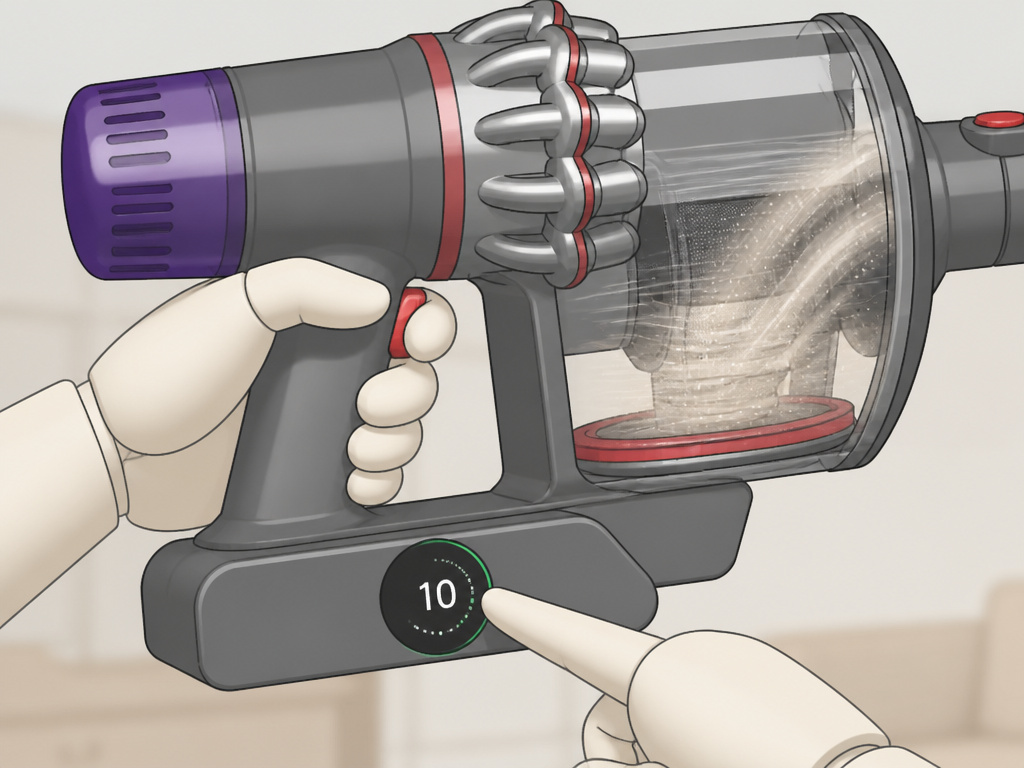
Some cordless models develop a glitch where they run for exactly 10 seconds and die. The fix is specific: 1. Unplug the charger from the wall. 2. Reconnect it to the wall. 3. Place the vacuum on the charger and hold the trigger for 15-20 seconds (nothing will happen). 4. Remove the vacuum. It should now run normally.
Battery and Charger
A weak battery can’t sustain the motor load. If your vacuum is older than two years and losing power quickly, the battery is the prime suspect. Try a known-good charger. The LED should pulse blue when charging and stay solid when full.
Trigger Microswitch
The trigger on cordless models uses a small microswitch. If it’s worn, the connection becomes intermittent. You can sometimes test this by holding the trigger in a slightly different position. If the vacuum stays running, the switch is failing. This is a common reason a Dyson hand vacuum keeps stopping.
The V15 Capacitor Problem
Here’s the non-commodity insight you won’t find in the manual. For the Dyson V15 Detect, a specific electrical flaw emerges around the two-year mark.
The Failure Mode: The vacuum starts stopping after a few seconds of operation, with no warning lights. It might work after several start-stop cycles, as if it needs to “warm up.” This is not a clog.
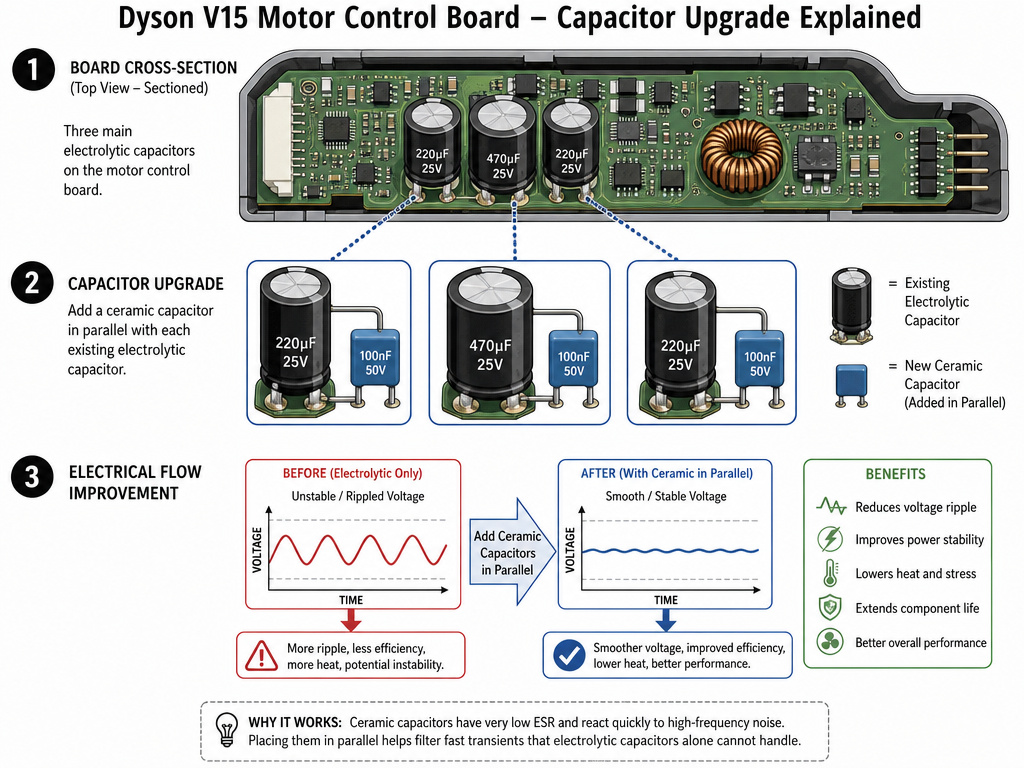
The Cause: According to iFixit community teardowns, the motor control board uses three 270µF capacitors. Over time, these capacitors degrade. Their ability to smooth current drops. The control board then misreads this voltage ripple as a sudden battery drop and cuts power to protect the system.
One iFixit user fixed their V15 by adding three 10µF ceramic capacitors in parallel to the existing ones on the board. The extra capacitance stabilized the current, and the vacuum worked normally on all power modes.
The Official Path: Dyson’s warranty service for this is typically a full motor body replacement. If your vacuum is under two years old, contact support. If it’s out of warranty, the capacitor fix is a $10 soldering job versus a $150+ motor body.
This is a design margin issue, not a maintenance one. It explains why standard Dyson vacuum troubleshooting for blockages does nothing.
When to Call for Service
You can’t fix everything. Know your limits.
- Persistent Overheating: If the machine gets excessively hot and shuts down even with a clean filter and no clogs, the motor bearings may be failing. This is a sign of overheating from internal friction.
- Error Codes: Modern Dysons like the V15 will display specific error codes for motor or battery faults. These usually require a professional.
- Physical Damage: A cracked main body or a visibly damaged wand can cause intermittent connections that are difficult to trace.
For recurring clogs or an airway blocked warning that won’t clear, a professional can perform a deep clean you might miss.
Frequently Asked Questions
Why does my Dyson pulse three times and stop?
This is the standard blockage detection cycle. The machine pulses to try to clear the clog, then shuts down to prevent motor damage. Find and remove the blockage in the cleaner head, wand, or bin inlet.
Can a full bin cause my Dyson to stop?
Absolutely. A full bin restricts the essential airflow through the cyclone. The machine’s sensors detect the drop in airflow and trigger the protection system. Empty the bin completely, including tapping out fine dust from the top chamber.
How do I reset my Dyson vacuum?
For most models, there is no “reset button.” A full reset involves clearing all blockages, washing and thoroughly drying the filter for 24 hours, and ensuring the battery is fully charged. For the specific 10-second shutdown glitch, use the charger/trigger reset sequence outlined above.
Why does my Dyson only stop on carpet?
This points to a brush roll issue. On carpet, the motor works harder to spin the brush roll. If the brush roll is tangled with hair or the bearings are seizing, the extra load can trigger the thermal protection. Check for carpet-specific stopping by cleaning the brush roll thoroughly.
Is it worth repairing an old Dyson that keeps stopping?
It depends on the model and the cause. For a V7 or V8 with a worn-out battery, a new battery is often cost-effective. For a V15 with the capacitor issue, a $10 DIY repair is worth it. For older models with repeated motor failures, the cost of a new motor body may approach the price of a newer machine.
The Bottom Line
A Dyson that stops and starts is talking. Pulsing means “I’m clogged.” A thermal shutdown means “My filter is dirty or I’m overheating.” A random stop after a few seconds on a V15 often means “My capacitors are tired.”
Start with the simple path: empty the bin, check for blockages, wash the filter. Move to power: try the reset, check the battery. For the V15 Detect nearing its second birthday, remember the capacitor flaw. That insight alone can turn a $150 repair into a $10 fix.